The order is simple. Ready-to-use platforms come first, in order of how many brokers each connects, as stated on its own pages. Software that you install or host yourself comes after them.
Four checks decide most choices. Start with your broker, because a platform that does not support it means opening a new account. Count the apps you will need open beside the platform, not only the algo fee. Ask who provides the static IP that API orders must come from. And remember that free software still has to be run by someone, which is usually you.
The best algo trading software in India at a glance
| Platform | Best for | How you get it | Brokers | How you pay |
|---|---|---|---|---|
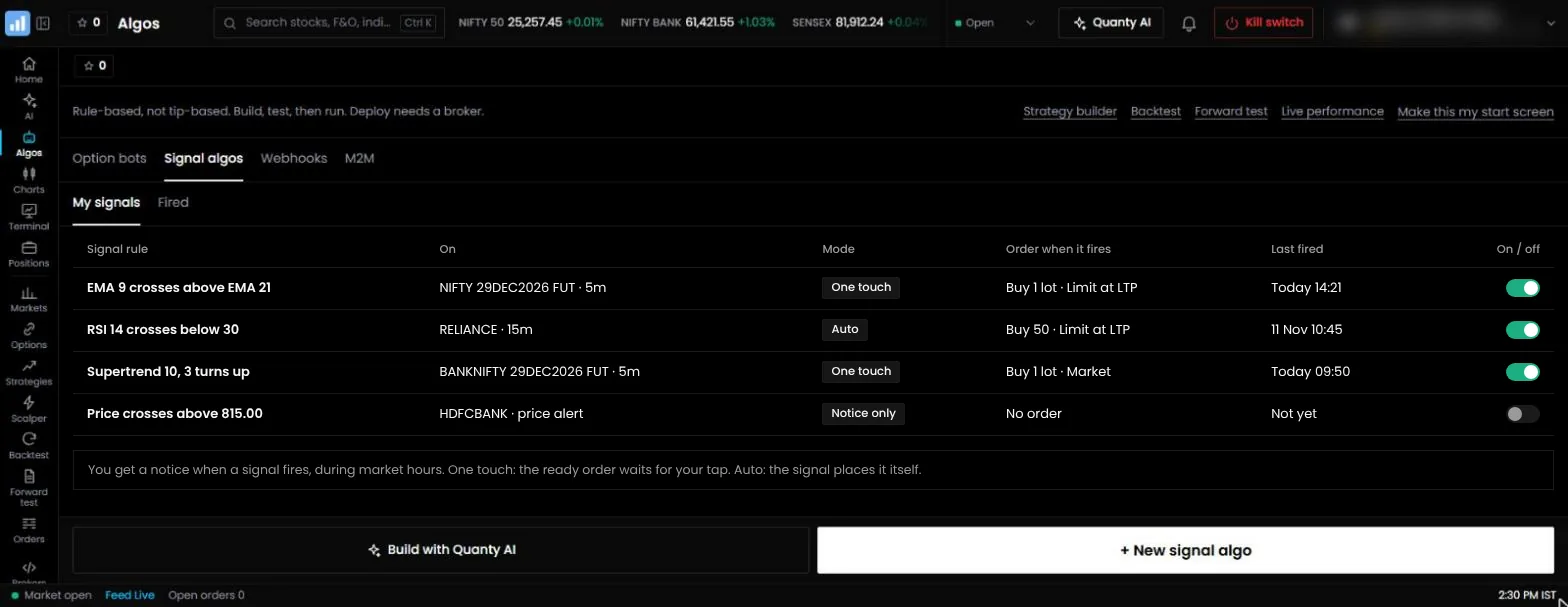
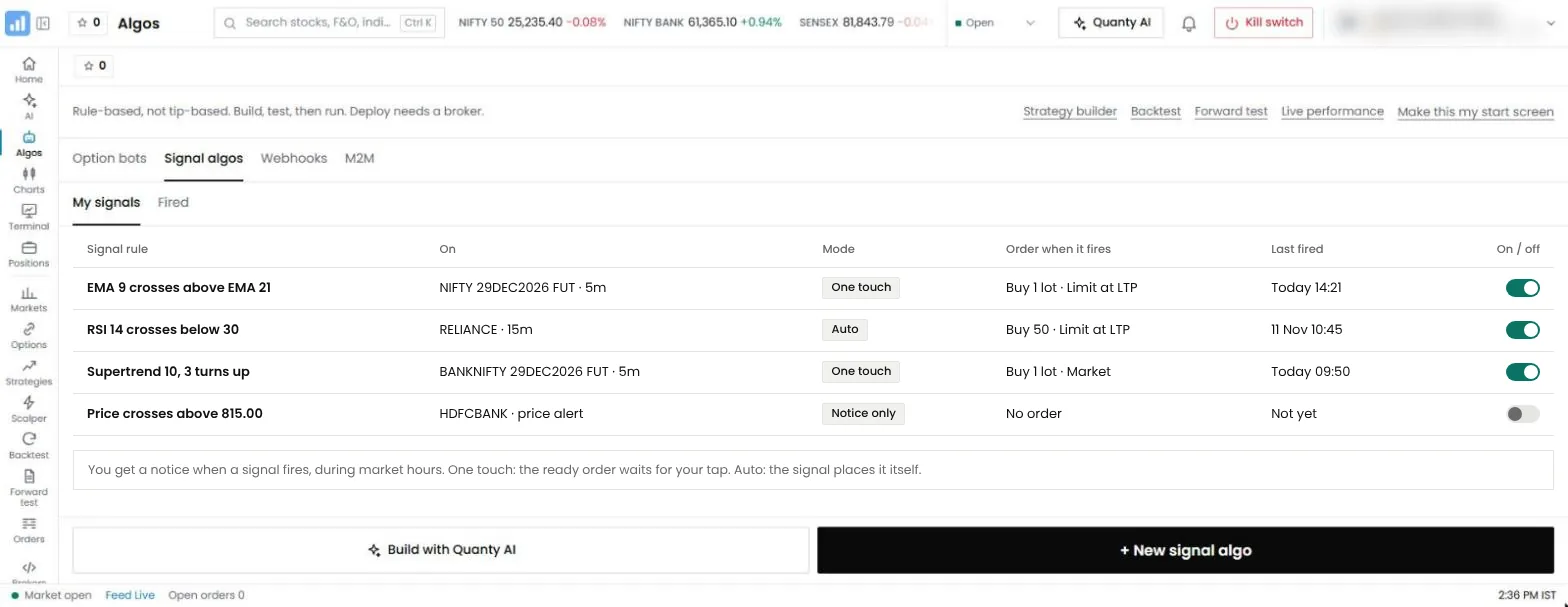
| 1. QuantPower | Traders who want charts, a trading terminal, testing, AI and algos in one app | Ready to use, in a browser | 100+ Indian brokers, including Wisdom Capital, Zerodha, Upstox, Fyers and IIFL Capital | Pay per use: 200 tokens (₹200) per live algo per 28 days, 1 token = ₹1, GST extra |
| 2. AlgoTest | Backtesting options strategies | Ready to use, in a browser | Selected Indian brokers | Credits for each live strategy, with free backtests every week |
| 3. Tradetron | Subscribing to strategies built by other traders | Ready to use, in a browser | Selected brokers | A free tier, and paid plans by the number of live strategies |
| 4. QuantMan | Option strategies with detailed adjustment rules | Ready to use, in a browser | Selected Indian brokers | Paid monthly plans |
| 5. uTrade Algos | Ready-made strategies and an AI strategy builder | Ready to use, in a browser | Selected Indian brokers | Paid monthly plans that include credits |
| 6. Streak | Zerodha users with indicator strategies | Ready to use, in a browser | Zerodha only | Free for Zerodha users |
| 7. OpenAlgo | Traders who want open-source software on their own server | You install and host it | Broker plugins that you set up yourself | Free and open source; you pay for your own server |
| 8. AmiBroker | Traders who write their own code on a desktop | You install it on your computer | Through a separate bridge | A paid desktop licence |
How algo trading for retail traders got here
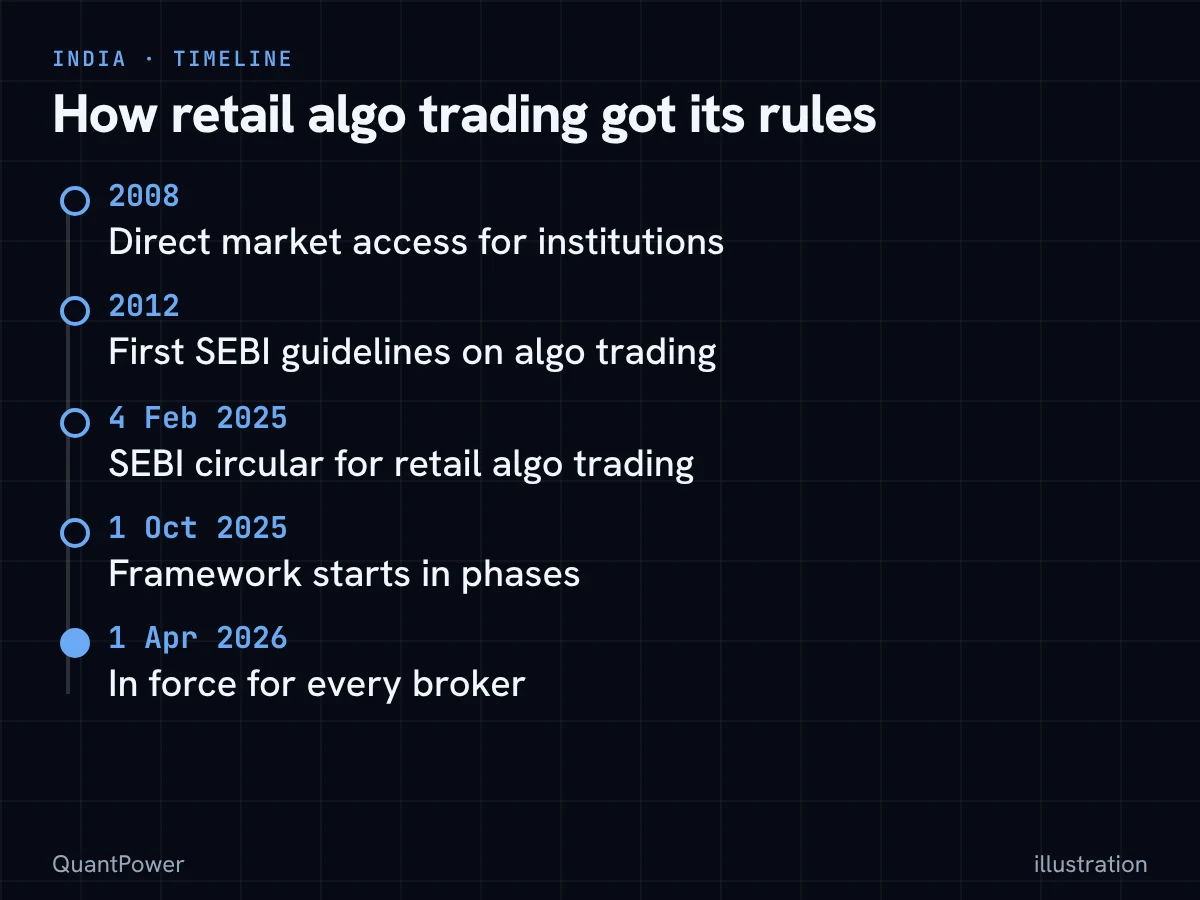
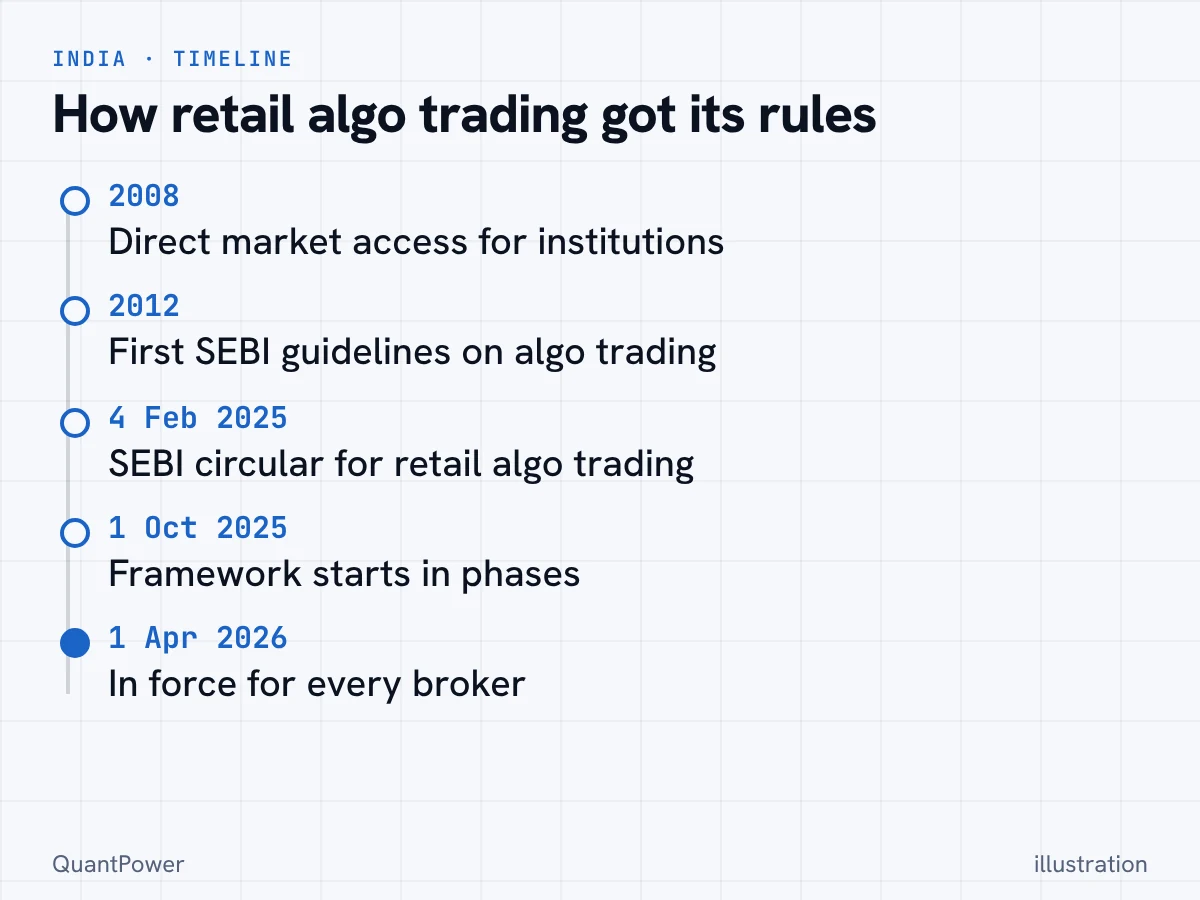
Algo trading in India began with institutions. In 2008 SEBI allowed direct market access, which let institutional clients send orders to the exchange through a broker's systems without a dealer keying them in.11 Exchanges then offered co-location, where a member's servers sit beside the exchange's own. In 2012 SEBI published its first guidelines on algo trading: exchanges had to put risk controls in place, and a broker needed the exchange's approval before it offered algo trading to clients.11
For most of the next decade a retail trader reached automation in an unofficial way. Brokers opened APIs, and third-party platforms connected to those APIs and placed orders for their users. It worked, but nobody outside the platform could tell which orders were algos, who had built the strategy or where an order had come from.
That changed with SEBI's circular of 4 February 2025 on safer participation of retail investors in algorithmic trading.1 It made the broker responsible for every algo order that passes through it, asked exchanges to empanel algo providers, gave approved strategies an Algo ID, and tied API access to a registered static IP. The start date moved twice, from 1 August 2025 to 1 October 2025, and then to a phased plan that put the framework in force for every broker from 1 April 2026.121
This history explains what you see when you compare software today. Every product on this page had to answer the same new questions: who is the empanelled provider, where does the static IP come from, and can you read the rules of the strategy you run. The answers differ, and they are a large part of the comparison below.
What to look for in an algo trading platform in India
An algo trading platform turns your rules into orders on your broker account. When you compare platforms, these points decide most of the outcome.
Broker support
Platforms connect to brokers through each broker's official API, so the list of supported brokers is the first filter. Check that the platform supports your broker for every segment you trade: NSE index and stock options, BSE Sensex options, futures or MCX commodities. Most broker API sessions expire each day, so expect to log in once every trading day, with two-factor authentication, before your strategies can place orders.
Strategy types
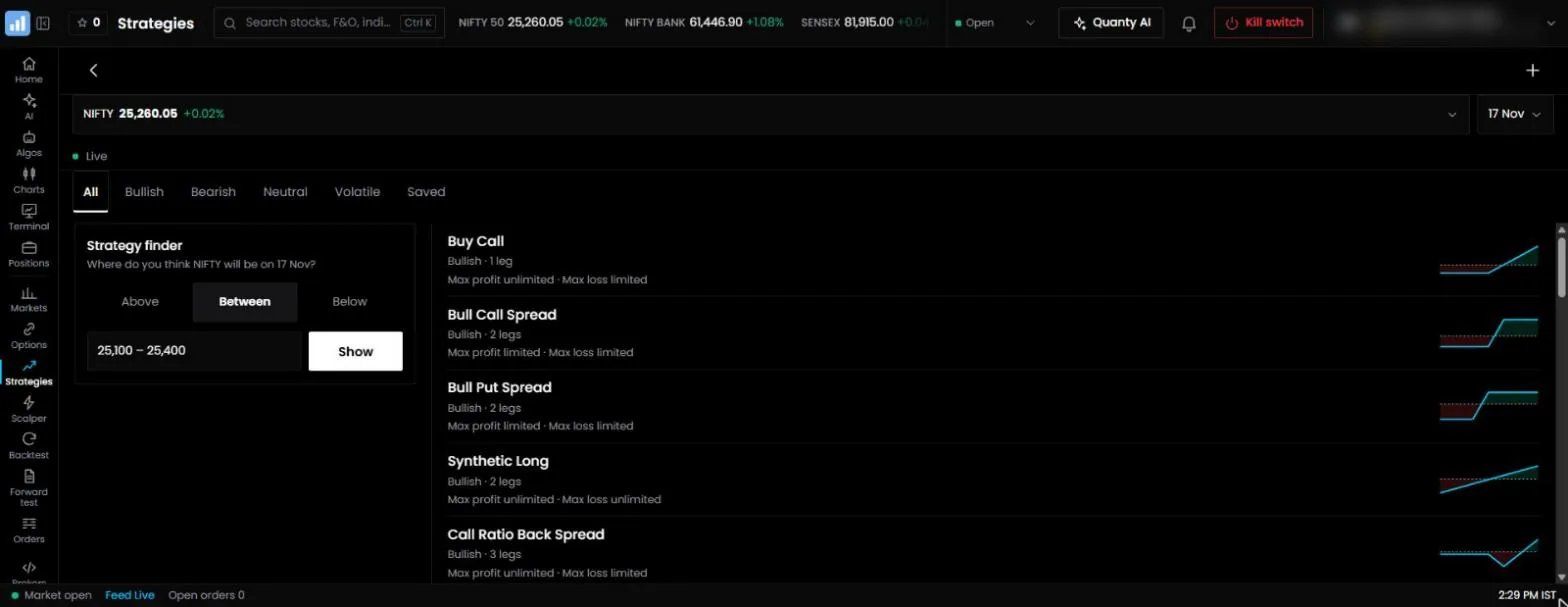
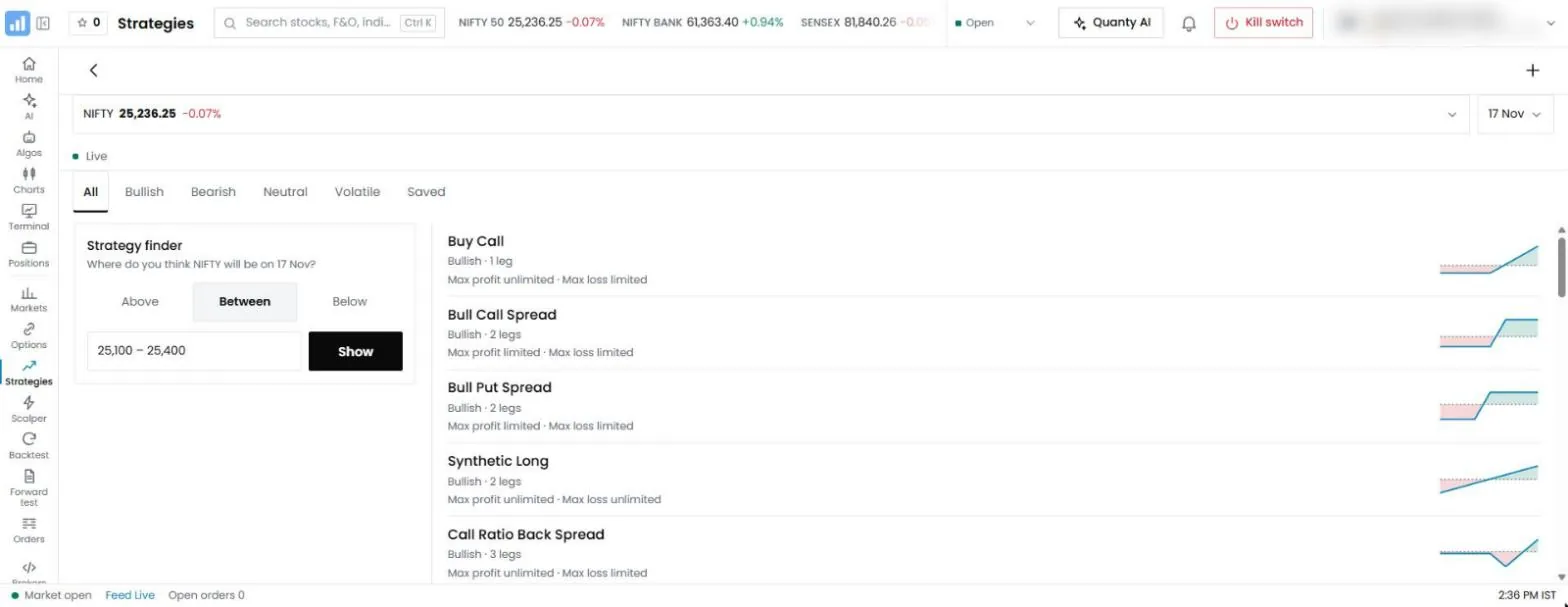
Most platforms are built around one style of strategy:
- Option legs. Strikes picked by distance from the at-the-money strike, by premium or by delta, with stops on each leg and on the whole position. Option sellers and spread traders need this.
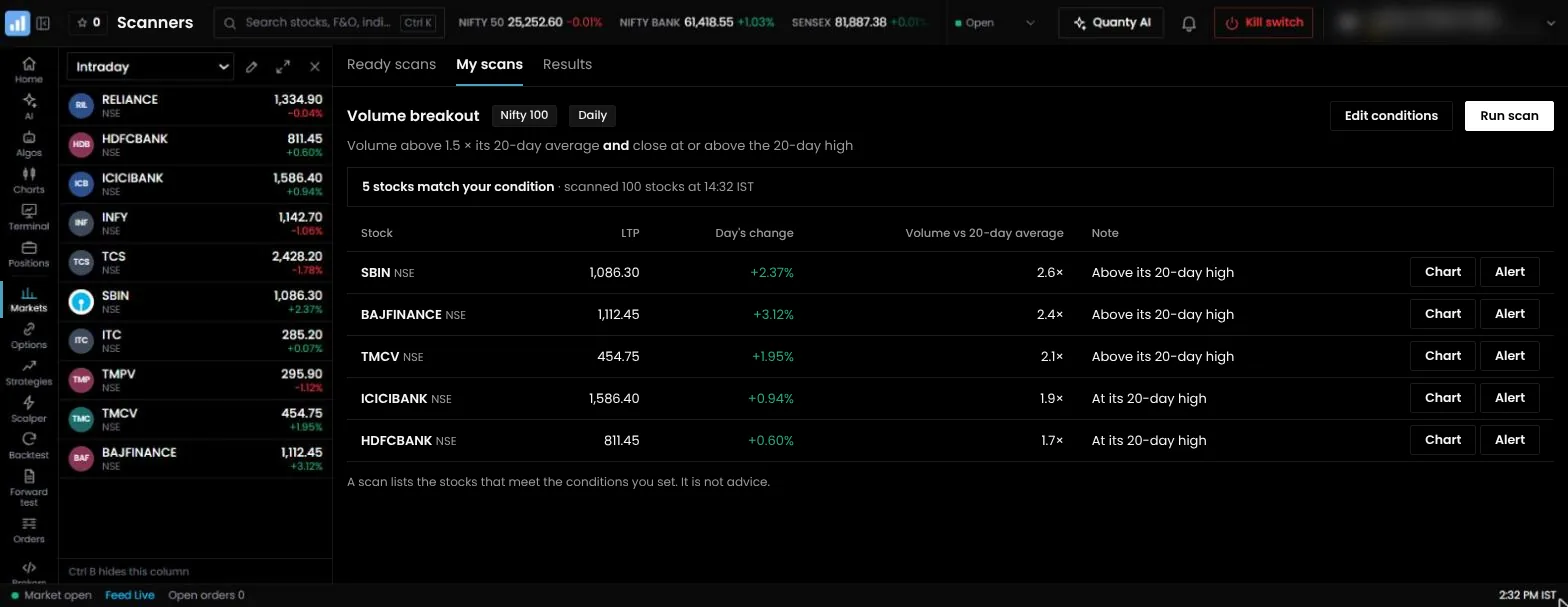
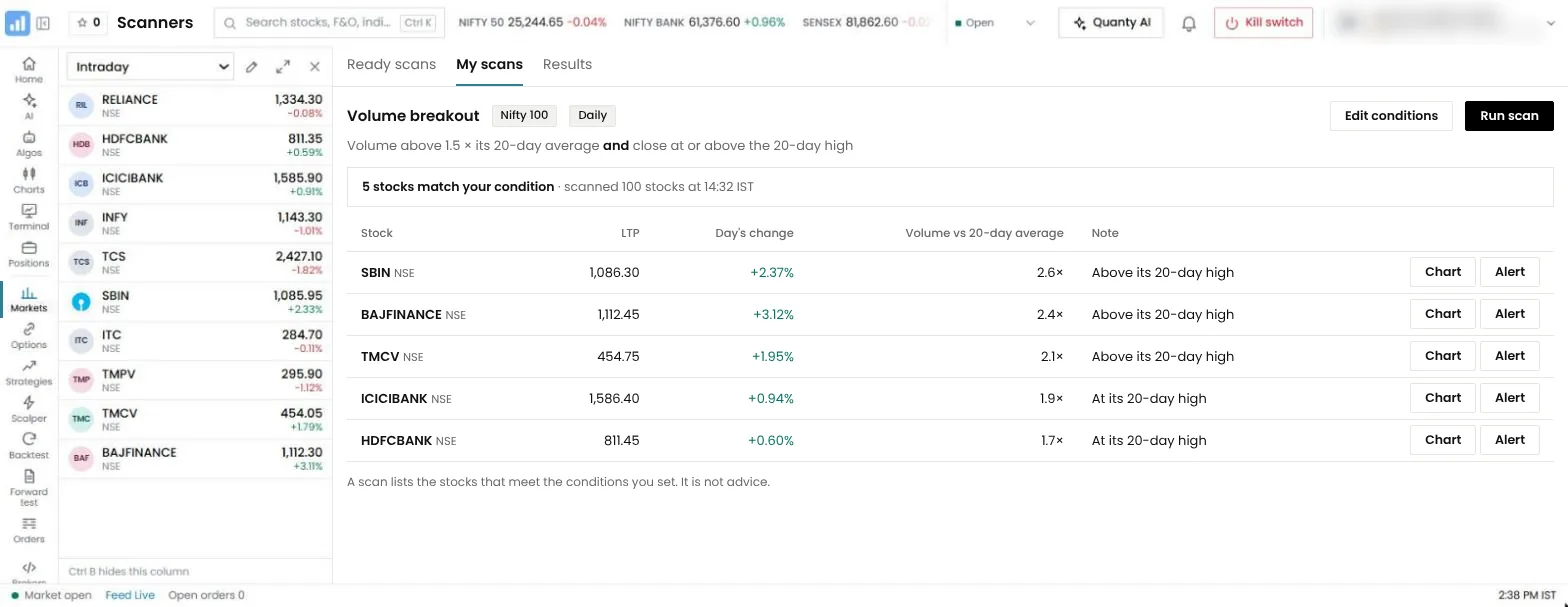
- Indicators. Entries and exits from moving averages, RSI, breakouts and similar conditions on stock or futures candles, often with scanners that find matching stocks.
- Patterns. Entries on candlestick patterns, such as an engulfing candle, or chart patterns, such as a triangle breakout.
- Signals. Orders placed when a condition on the chart is met, or when an alert arrives from charting software.
- Code. Rules written in a programming language and run on your own computer or server.
A platform that handles one style well can be awkward for another. An iron condor needs four legs that enter together, a combined stop and an exit time. An RSI strategy on stocks needs candle conditions and a stock list. Build one of your real strategies during your first week instead of relying on the feature list.
How many strategies you can run, and how they are priced
Algo products in India use six pricing models:
| Model | How it works | Examples |
|---|---|---|
| Pay per use | Tokens or credits for each live or forward-tested strategy per 28-day cycle | QuantPower (tokens), AlgoTest (credits) |
| Monthly plan | Each plan sets how many strategies can be live at once, or how many credits you get | Tradetron, QuantMan, uTrade Algos |
| Free with a broker | No fee, within the broker's limits | Streak (Zerodha) |
| Free, self-hosted | The software is free; you pay for the server and run it yourself | OpenAlgo |
| Licence and bridge | A desktop licence, plus a separate tool that sends orders | AmiBroker |
Count the strategies you will run at the same time, including any you are forward testing if the platform charges for that. The cost section further down shows how each product charges and works out QuantPower's cost for one, two, four and ten strategies.
Testing tools
A backtest is only as good as its data and assumptions. Check how many years of options data the platform has, whether it uses minute-level prices and whether you can set slippage and charges. A trade-by-trade list matters more than a summary chart, because it lets you check each entry against a price chart.
Forward test runs your rules on live prices without sending orders, which shows how a strategy behaves on days the backtest never saw. Check whether forward tests are charged, and at what rate. QuantPower charges 100 tokens per algo per 28 days.
Charts, indicators and AI help
You will spend more time looking at charts than at the strategy builder. Check the number of indicators, whether you can write your own, how many charts fit on one screen and whether patterns are marked for you. If the platform has an AI assistant, check that it explains and builds in your language; no assistant should tell you which strategy will make money. Our guide to the best AI algo trading software in India compares the AI features alone.
One app or several
Ask what else you will need open beside the platform. A strategy tool runs your rules and stops there: you read the market on a separate charting service, and you see holdings, funds, pledged margin and manual orders in your broker's app. A full trading app holds those screens as well. Check four things: whether the charts are built in, whether you can place and manage orders from the chart, whether positions and holdings show as your broker holds them, and whether shares, ETFs, commodity and currency trade from the same place as options.
Risk controls
Look for five levels of control: a stop on each leg, a stop on the whole strategy, a daily loss limit across the account, a time at which everything closes and a kill switch that stops every algo at once. The account-level limit, often called an MTM stop loss, is the one that protects you when several strategies lose on the same day.
Ask how stops are placed. Some platforms send a stop-loss order to the exchange as soon as a position opens. Others watch prices and send an exit order when the stop is hit, which depends on the platform staying connected to your broker. Ask what happens to open positions if that connection drops.
Compliance, where it runs and support
SEBI's rules for retail algo trading decide which platforms can run strategies on your account, how orders are tagged and what a provider may say about returns. The SEBI section further down sets out what to check.
Ready-to-use platforms keep running when your laptop sleeps. Desktop software needs your computer on, online and logged in all session, and self-hosted software needs a server that you keep running and up to date.
Ask about the static IP as well. API orders must leave from an address registered with your broker, and products differ on who provides it and whether it costs extra.
Check when support answers. A question about an open position needs an answer during market hours, not the next morning.
1. QuantPower
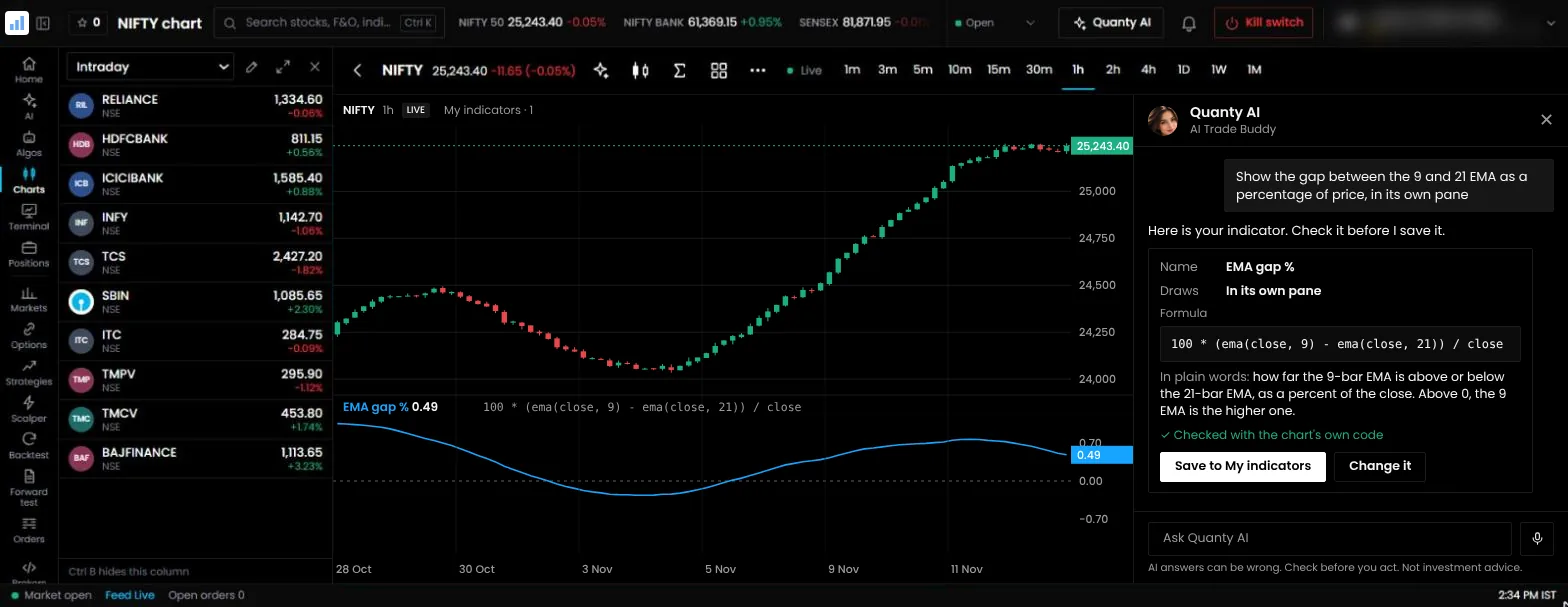
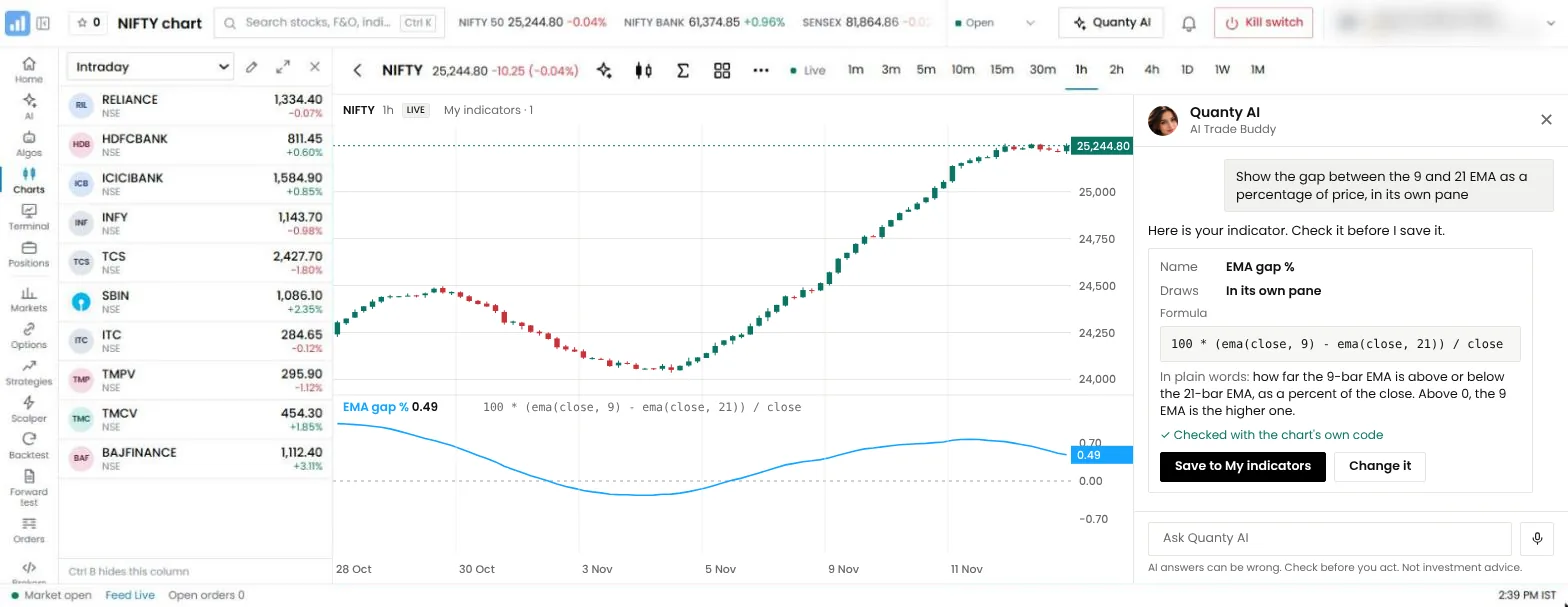
Best for: traders who want the chart, the trading terminal, testing, AI help and live algos in one app, with their own broker.
QuantPower is trading software from Wisdom Tree Ventures, Noida. It connects to 100+ Indian brokers through their official APIs, and your funds, shares and positions stay in your own broker account. It covers NSE and BSE cash and F&O, commodity and currency.
- Algo bots run your strategies on your own broker account. Ready-made strategy templates, such as straddles and iron flies, load into the strategy builder; you edit and run them as your own strategy.
- Strategy builder creates options and futures strategies without code, with a payoff graph and margin shown, and is free to use.
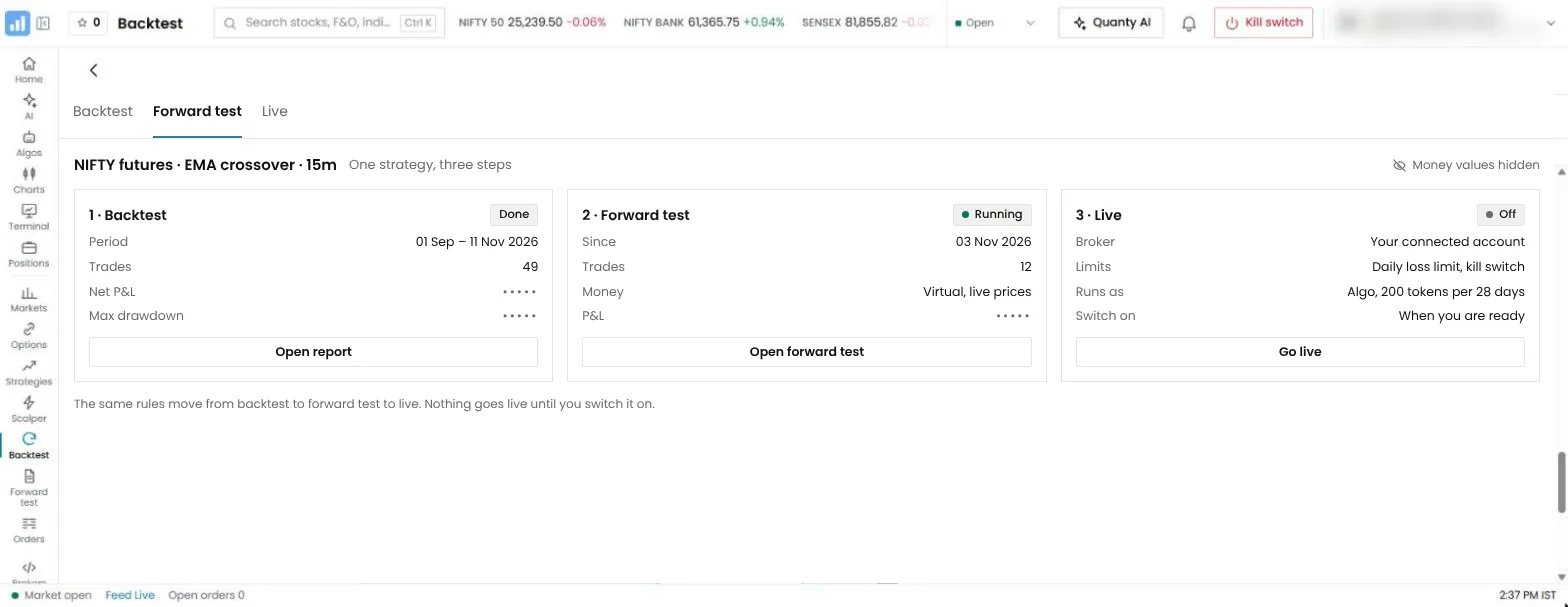
- Backtesting and forward test test the rules before real orders go out.
- Charts by Arth.live give you 201 indicators, 19 chart types, 89 drawing tools, up to 16 charts on one screen, and 44 candlestick patterns and 25 chart patterns marked on the chart. Charts are free for everyone.
- Trade from the chart. Your open orders, positions and GTT triggers appear as lines on the chart. Drag an order line to a new price, cancel it, exit a position, or press "+" at a price to start a new order. Each one opens the order sheet for your tap.
- The Scalper is a fast option screen: the call and the put chart side by side, a strike stepper, the margin shown before you send and the kill switch at hand.
- Live trading terminal. Positions as your broker holds them, holdings with profit and loss, pledging shares for margin, funds, GTT orders, baskets of up to 20 legs, stock SIP and iceberg orders. Day-to-day trading does not need a separate broker app open beside it.
- Arth Script is a short formula language for your own indicators: say or type the indicator you want, Quanty writes it, and you review it before it is saved. Alerts from other charting software still connect through signal trading.
- Quanty AI answers questions, explains rules and builds strategies by text or voice in 25 languages.
- Connect AI (MCP) links Claude, ChatGPT or any MCP-ready AI app to your QuantPower account.
- Signal trading places orders from Arth.live price alerts or from alerts sent by other charting software.
- 2 static IPs free, a primary and a backup, with every account, so your API orders leave from an address registered with your broker.
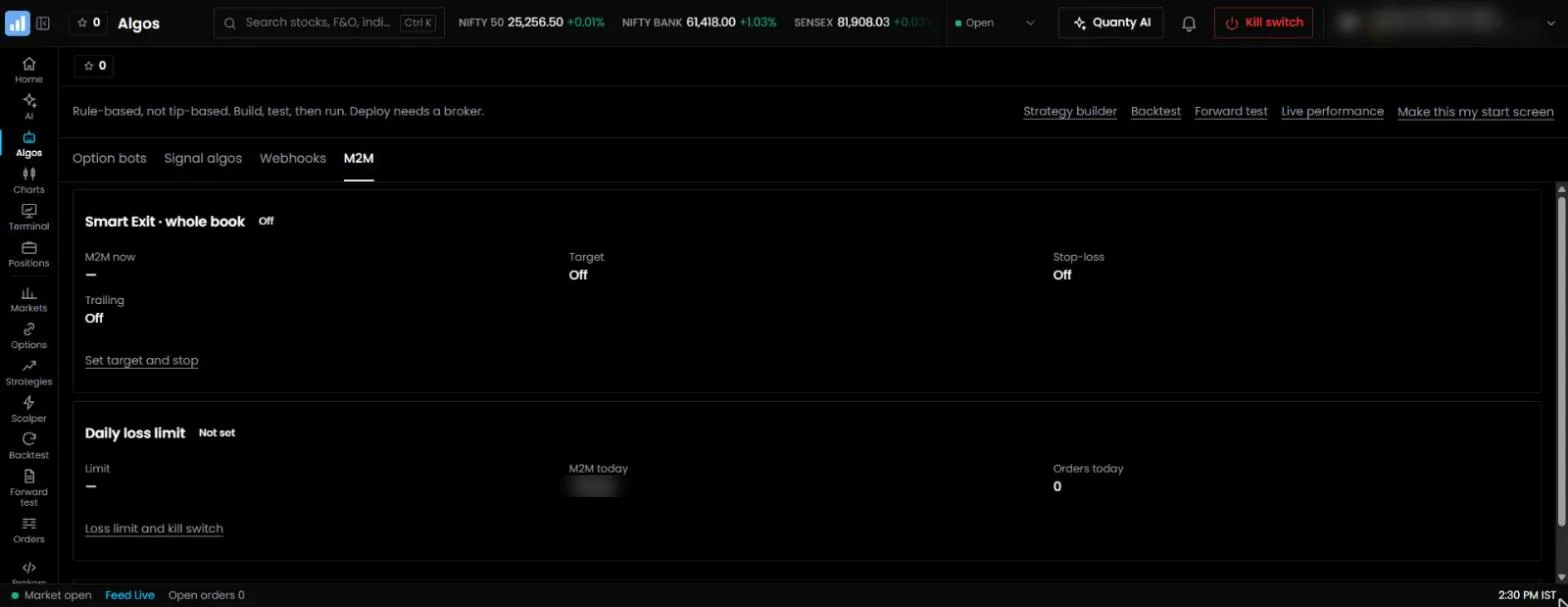
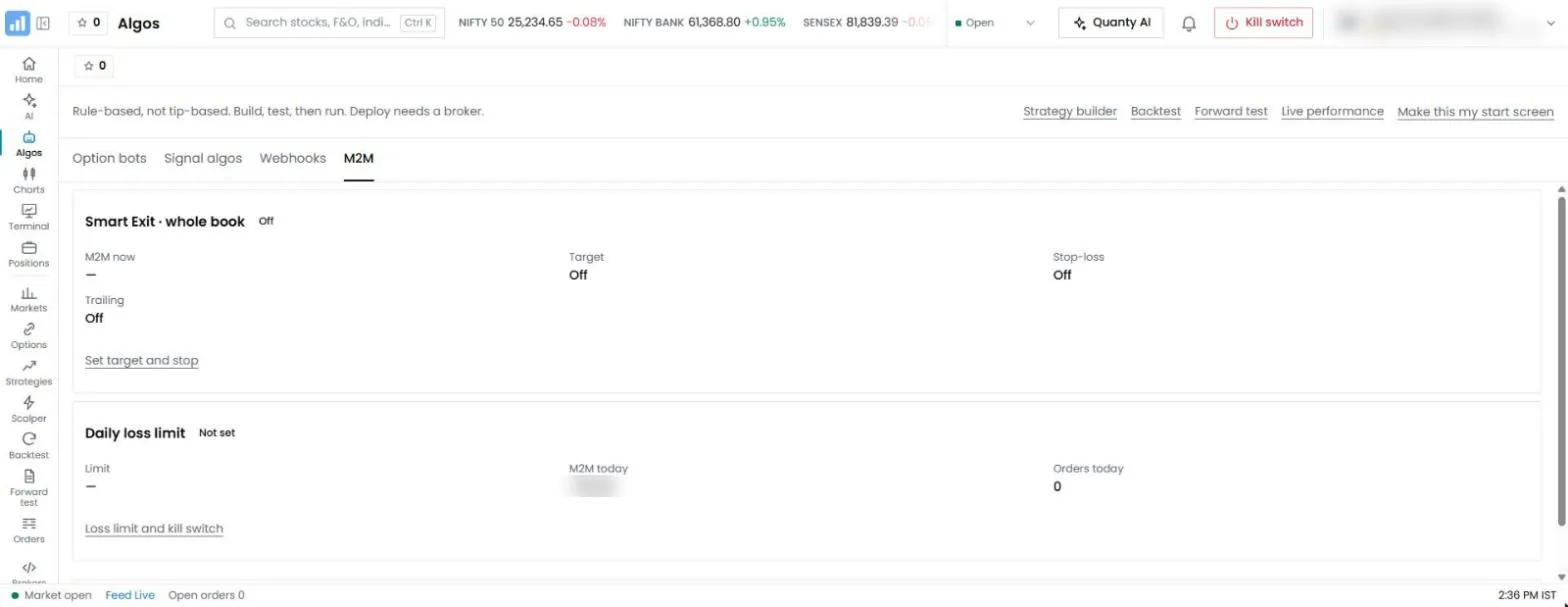
- Risk controls: a stop on each leg and each strategy, an MTM stop loss for the whole account, a daily loss limit, a cap on orders a day and a kill switch that stops every algo at once. The loss figure adds up every connected broker.
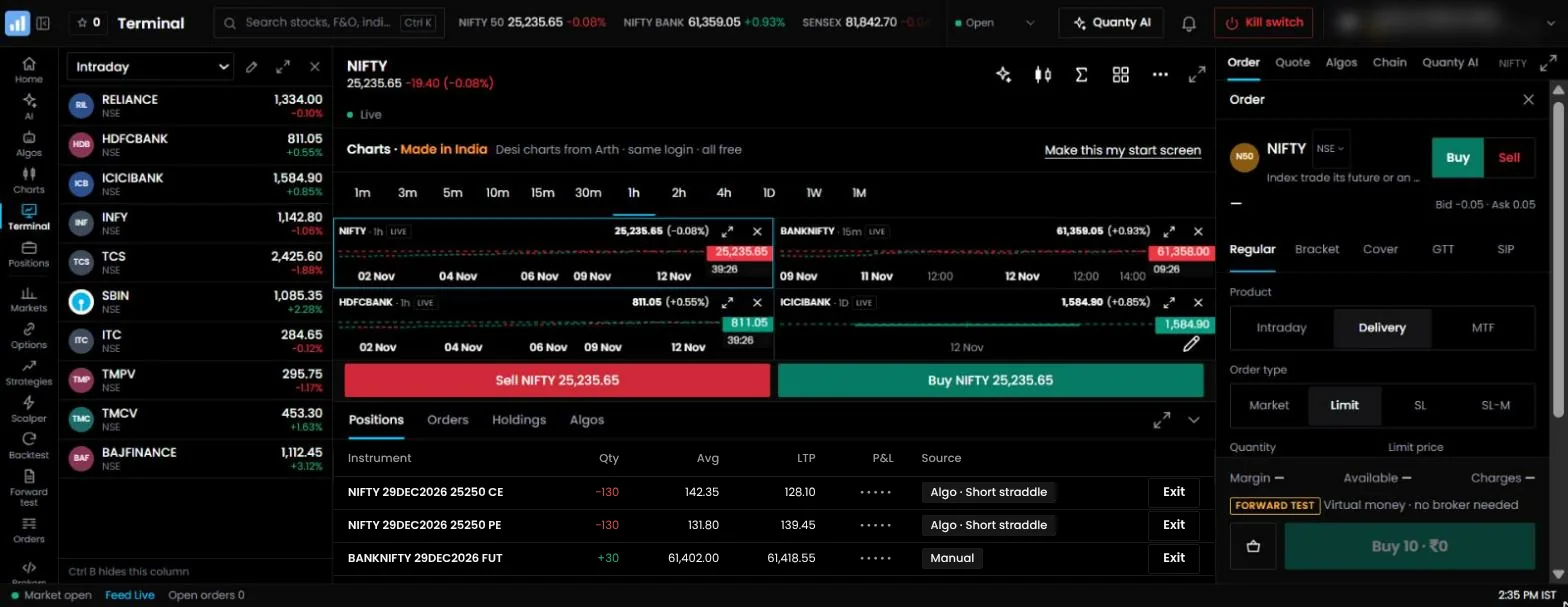
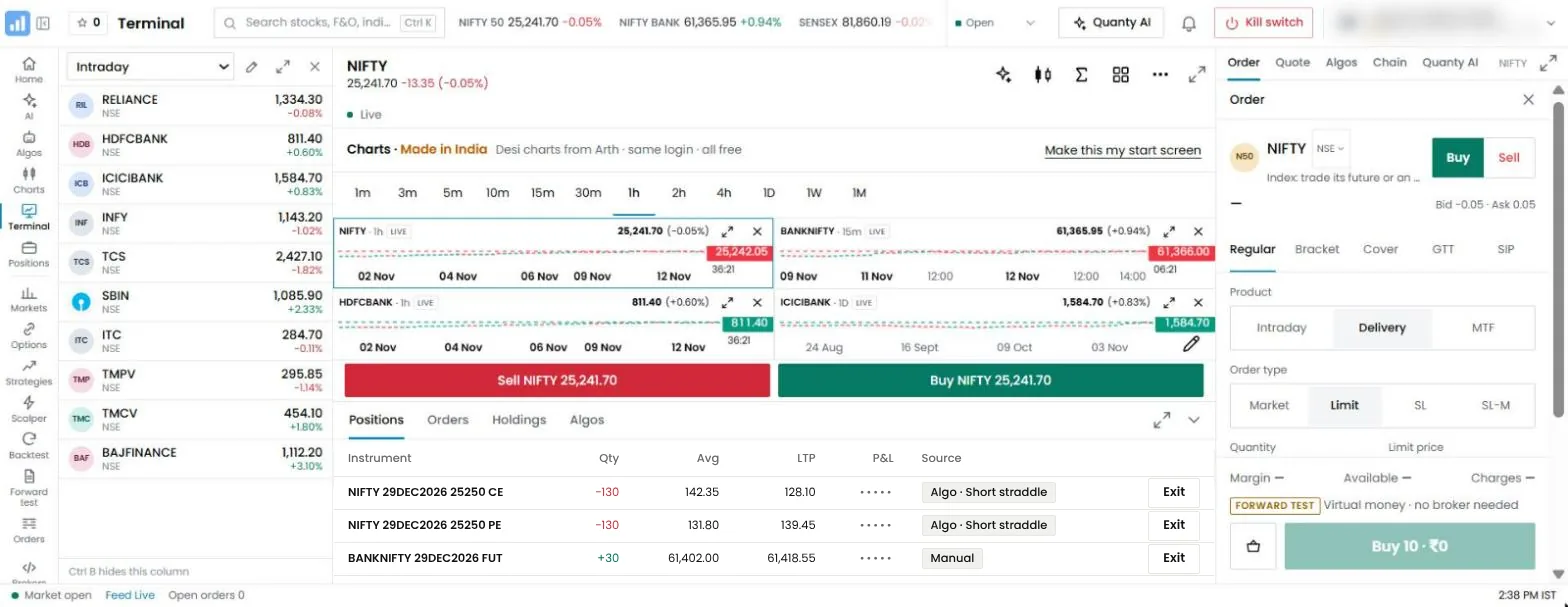
Price. Pay per use in tokens, 1 token = ₹1 before GST: a live algo 200 tokens per 28 days (pro-rated, orders unlimited), a forward test 100, a backtest 2 (10 free a week) and a Quanty text question 1 (5 free a day). Charts, the option chain, the screener and the strategy builder are always free, and paid tokens never expire.
2. AlgoTest
Best for: traders who backtest options strategies often and run a few of them live.
AlgoTest focuses on backtesting options strategies on historical data, with forward testing and live execution.3 Its pages cover options and futures, and commodity contracts on MCX. Every account gets a free allowance of backtests each week. Beyond that, you buy credits: a live strategy uses credits for each 28-day cycle, and a forward test uses fewer. Strategies driven by chart alerts are a separate product, Signals, which also has an AI builder for indicator strategies.
Good to know: AlgoTest is a strategy tool, so your holdings, funds and day-to-day manual trading stay in your broker's app. For a static IP, its documentation describes a dedicated machine with a fixed IP, paid in credits. Costs rise with each strategy you add. See AlgoTest vs QuantPower.
3. Tradetron
Best for: subscribing to strategies built by other traders, and building rule-based strategies with many conditions.
Tradetron is a no-code platform for building and deploying strategies, with a marketplace where traders subscribe to strategies built by others.4 It has a free tier, and paid plans set by the number of strategies you run live at once. Its pages list NSE equity, NSE and BSE F&O, and MCX, with MCX on its own plan. It also has an AI assistant and an MCP connector that builds and backtests strategies from your AI app; the connector does not place live orders.
Good to know: marketplace strategies carry their own fees, and a static IP is a paid add-on for each broker. Tradetron is a strategy tool, so your holdings, funds and day-to-day manual trading stay in your broker's app. See our comparison of Tradetron vs QuantPower.
4. QuantMan
Best for: option traders whose rules depend on detailed adjustments.
QuantMan is a visual, no-code platform for options and futures algos, with a large set of indicators and rules for adjustments, calendar spreads and strike multipliers.5 It is sold as paid monthly plans; each plan sets how many strategies can run live and how many backtests you get.
Good to know: you pay for a plan's full allowance even in a month when you run fewer strategies. How a static IP is provided is not stated on its public pages, so ask before you subscribe. See QuantMan vs QuantPower.
5. uTrade Algos
Best for: traders who want ready-made strategies and an AI strategy builder for equity and options.
uTrade Algos describes itself as "AI-Powered Algo Trading for Retail Investors & Traders".6 It has an AI strategy builder, ready-made strategies it calls Originals, a day replay to study past sessions, and charts from an outside charting provider. Its home page says it is an approved algo vendor for NSE and BSE and links to the exchanges' vendor lists. It is sold as monthly plans that include credits; backtests and forward tests use those credits.
Good to know: its pages cover equity and options with a selected list of brokers, so check that your broker and your segment are there. How a static IP is provided is not stated on its public pages.
6. Streak
Best for: Zerodha users who trade stocks with indicator strategies.
Streak is Zerodha's no-code platform for strategies built from technical indicators, with scanners that find stocks matching your conditions and a library of ready strategies.7 It is free for Zerodha users, with a cap on how many strategies run live at a time.
Good to know: it works only with Zerodha, and it is built around indicators rather than option legs. See how Streak vs QuantPower compares the two.
7. OpenAlgo
Best for: traders who are comfortable running a server and want open-source software they control.
OpenAlgo calls itself "the open source trading ecosystem for everyone".8 It is free under the AGPL-3.0 licence and is designed to be self-hosted: you install it on your own computer or server and connect your broker through a plugin. Its documentation describes a no-code Flow builder, hosted Python strategies, webhooks from charting software such as AmiBroker, a chart terminal, a scalping terminal, options analytics tools, a sandbox mode with simulated capital, and a built-in AI agent and MCP server whose order tools wait for your approval.
Good to know: the software costs nothing, and the running is yours. You choose and pay for the server, arrange the static IP from your server or internet provider, apply the updates and keep it secure and online during market hours.
8. AmiBroker
Best for: traders who write their own code and are comfortable running software on their own computer.
AmiBroker is desktop software for charting, portfolio backtesting, scanning and alerts.9 Strategies are written in its own AFL language, and its AFL Code Wizard builds formulas from plain English sentences. It has an auto-trading interface, but no Indian broker is named on its home page, so traders in India usually send its orders to their broker through a separate bridge.
Good to know: it is a paid desktop licence, your computer must stay on and online through the session, and the bridge must follow SEBI's rules for client algos, including a registered static IP and no more than 10 orders a second unless the algo is registered.
OpenAlgo or AmiBroker?
Both are for traders who want to run the software themselves, and they answer different needs. AmiBroker is a research tool first: its strength is charting and fast backtesting across a whole portfolio, with trading added through a bridge. OpenAlgo starts from the other end: it is a trading layer that connects your code, your signals or your AI app to your broker, with testing and charts built around that. They also work together: OpenAlgo's documentation covers taking signals from AmiBroker and carrying them to the broker. If your main work is research, start with AmiBroker. If your main work is getting orders to a broker from code you already have, start with OpenAlgo. If you would rather not run either, pick a ready-to-use platform.
One app instead of three
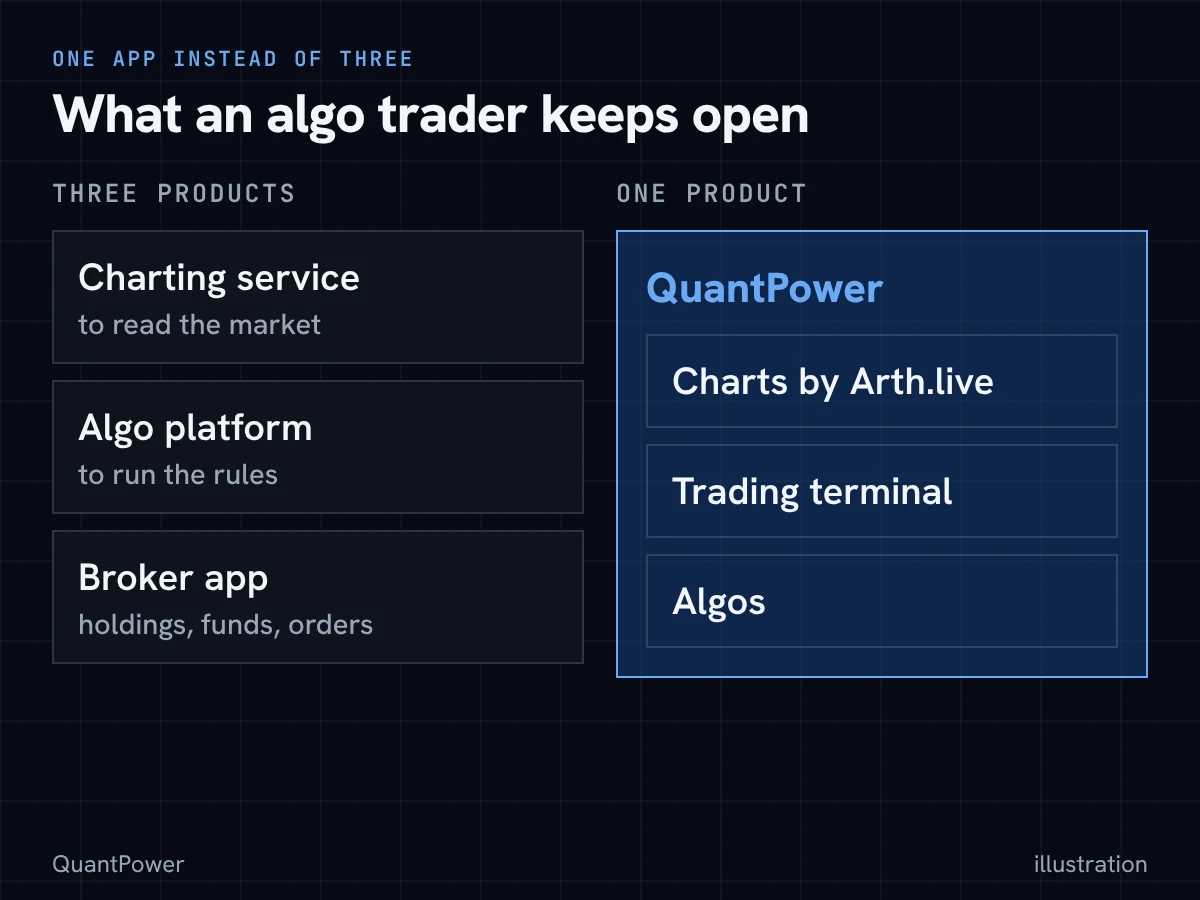
Look at what an algo trader has open on a normal day. A charting service to read the market. An algo platform to run the rules. The broker's app to see holdings, funds, pledged margin and the order book, and to place the manual trades the algo does not cover. That is three logins, three screens and often two subscriptions.
It also means a chain. A common setup is a chart alert that fires a webhook, a platform or bridge that receives it, and the broker's API that takes the order. Each link is a separate service that has to be up, logged in and correctly set at the moment the signal fires. When an order does not go, you first have to find which link failed.
QuantPower is built as one app, so those links sit in the same place:
- The chart is Arth.live, free, inside the app. The alert, the rule and the order all read the same prices.
- The trading terminal shows what your broker shows: positions as they are, holdings with profit and loss, funds and collateral, and the order book. You can pledge holdings for margin, place GTT orders that wait up to 365 days, send a basket of up to 20 legs together and run a stock SIP.
- Shares and ETFs, F&O, commodity and currency trade from the same screens, not only option strategies.
- Trade from the chart and the Scalper cover the manual trades: order, position and GTT lines on the chart, and a call-and-put screen for fast option trades.
- The algos use the same order path as your manual orders, so one kill switch and one daily loss limit cover both.
- Two static IPs come with the account, so there is no server to rent and no add-on to buy for the registered address.
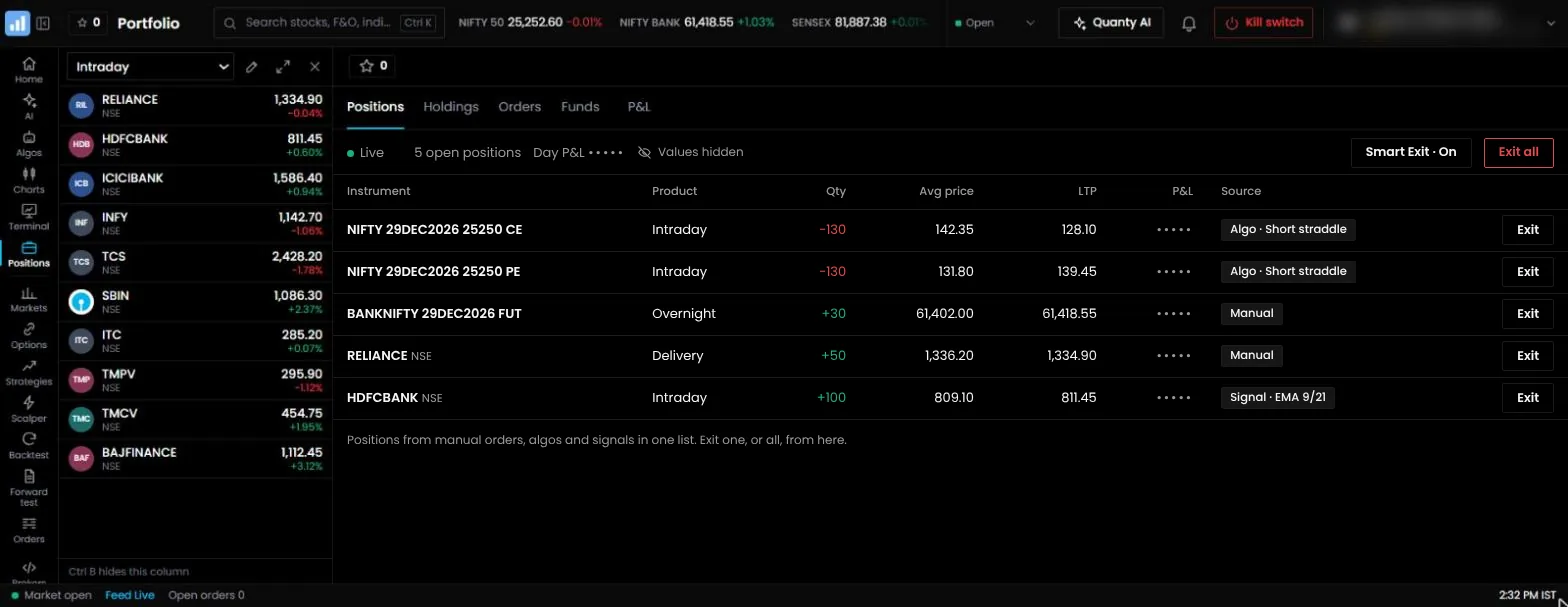
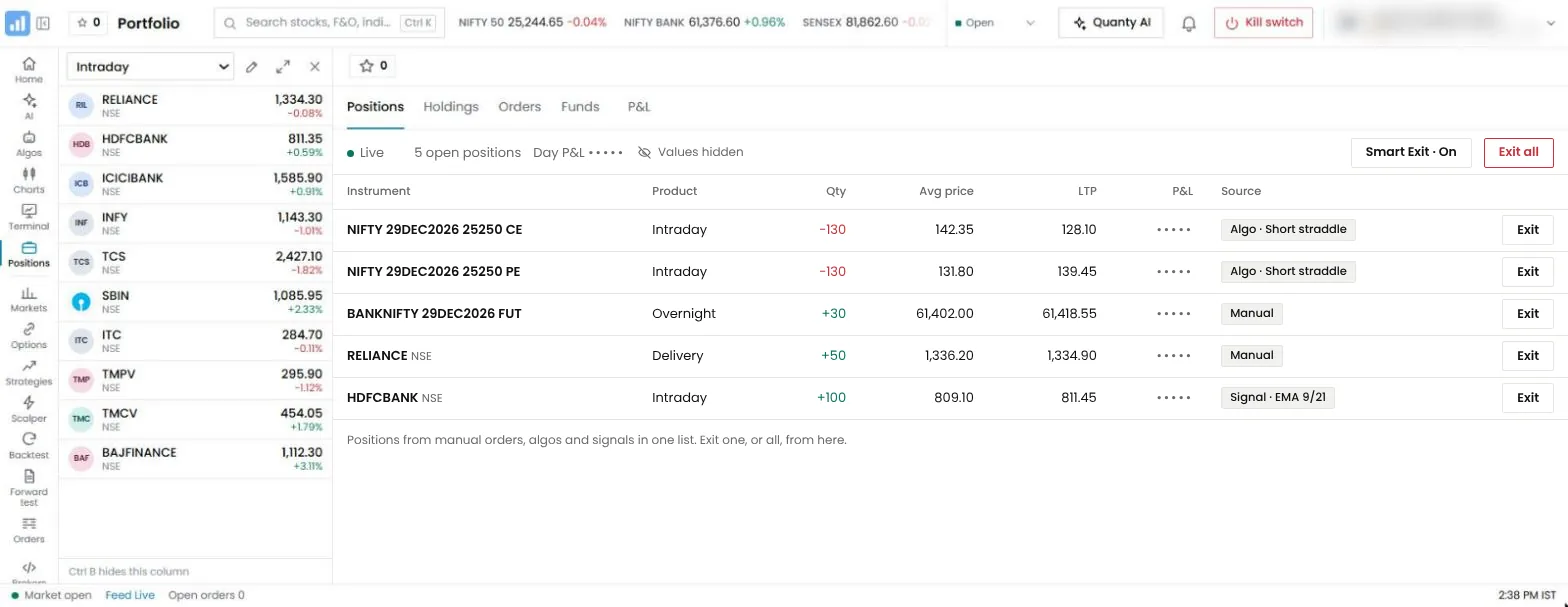
We have not measured speed, and we make no speed claim. The point is simpler: fewer separate services between your signal and your order means fewer things to keep running and fewer places to look when something goes wrong.
Here is how each product describes itself on its own pages, and how each handles the static IP.
| Product | What it is | Static IP for API orders |
|---|---|---|
| QuantPower | One app: charts, a trading terminal and algos | Two included with every account, at no charge |
| AlgoTest | A strategy tool: build, backtest, forward test and run | A dedicated machine with a fixed IP, paid in credits |
| Tradetron | A strategy tool with a marketplace | A paid add-on for each broker |
| QuantMan | A strategy tool for options and futures | Not stated on its public pages |
| uTrade Algos | A strategy tool with charts, a watchlist and an option chain | Not stated on its public pages |
| Streak | A strategy and scanner tool for Zerodha accounts | Not stated on its public pages |
| OpenAlgo | Software you host: a trading layer with strategy tools, a chart terminal and a scalping terminal | From your own server or internet provider |
| AmiBroker | Desktop charting and backtesting software | Yours to arrange, along with the bridge |
Charts: Arth.live, inside QuantPower
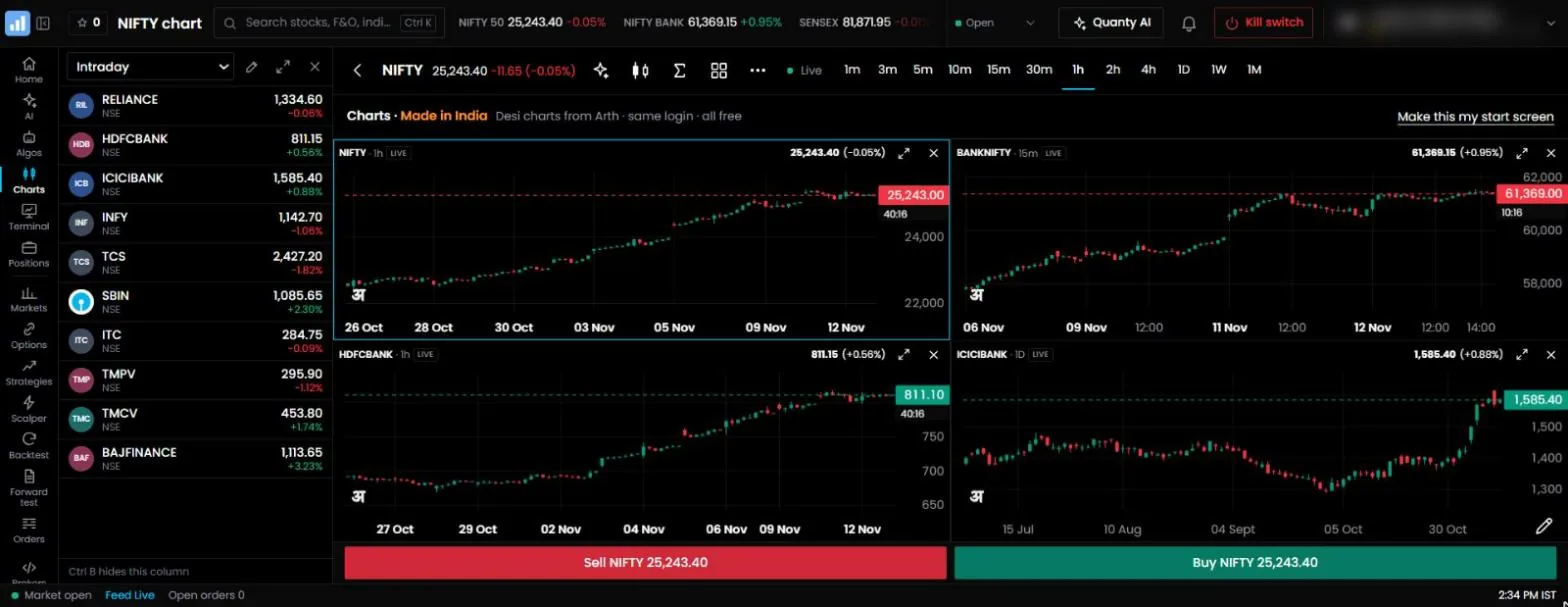
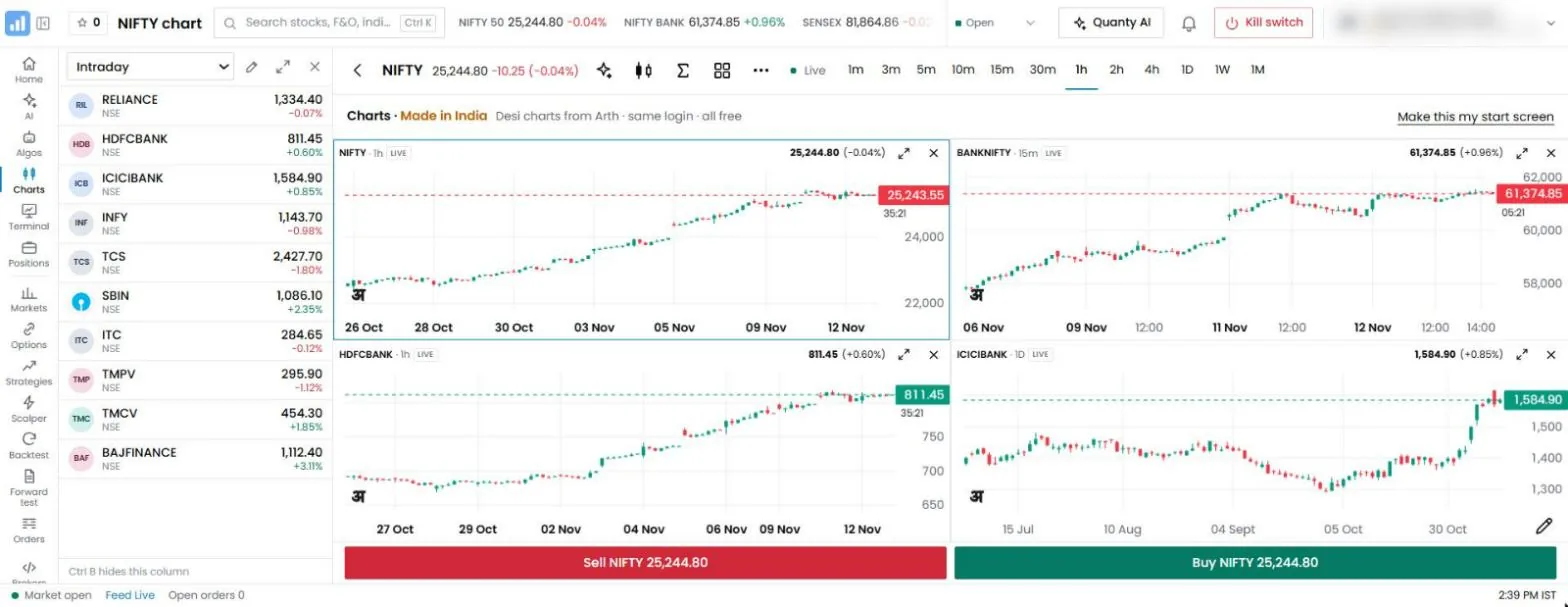
Arth.live, the chart engine inside QuantPower, is free for everyone, with no paid plan. It has 201 indicators with no plan limit on how many you add, up to 16 charts on one screen, 44 candlestick patterns and 25 chart patterns, and Arth Script for your own indicators. Alerts from other charting software still reach QuantPower through signal trading.
Comparing it with TradingView? See TradingView vs Arth.live, on Arth.live.
Options analytics tools
Sensibull and Opstra are often mentioned alongside algo platforms, but they are built for analysing options and placing trades by hand. Sensibull is free for Zerodha users, and Opstra is offered to Definedge Securities clients. See our comparison Sensibull vs QuantPower.
How each platform charges
The lowest bill depends on how many strategies you run at the same time and on what else you have to buy beside the platform. Prices change often, so this page shows how each one charges and leaves the current figures to each provider's own pricing page.
| Product | How it charges | What sets the bill |
|---|---|---|
| QuantPower | Pay per use, in tokens. No monthly plan | The number of live algos and tests you run |
| AlgoTest | Credits, bought in packs | The number of live strategies and forward tests per 28-day cycle |
| Tradetron | A free tier and paid plans | How many strategies run live at once, the exchange segment, and any marketplace strategy fees |
| QuantMan | Paid monthly plans | The plan you pick, which sets live strategies and backtests |
| uTrade Algos | Paid monthly plans that include credits | The plan you pick and the credits you use for tests |
| Streak | Free for Zerodha users | A cap on live strategies at a time |
| OpenAlgo | Free software | Your own server, static IP and upkeep |
| AmiBroker | A paid desktop licence | The licence, plus the bridge you choose |
What QuantPower costs at 1, 2, 4 and 10 strategies
| Live algos at once | 1 | 2 | 4 | 10 |
|---|---|---|---|---|
| Tokens per 28 days | 200 | 400 | 800 | 2,000 |
| In rupees, before GST | ₹200 | ₹400 | ₹800 | ₹2,000 |
- Tokens. 1 token = ₹1. Larger packs add bonus tokens: ₹1,000 buys 1,050 tokens, ₹2,500 buys 2,750 and ₹5,000 buys 5,750, which lowers the cost per algo.
- Orders are unlimited inside a live algo, so a busy strategy costs the same as a quiet one.
- Pro-rated. An algo switched on part-way through a cycle is charged for the days left.
- Always free: charts, the option chain, the screener, the strategy builder and the two static IPs.
Add up the whole setup
Before you compare two platforms, write down every line you would pay for with each:
- The platform fee for your real number of live strategies.
- Forward tests and backtests beyond the free allowance.
- A charting subscription, if the platform's own charts are not enough for you.
- The static IP: included, a paid add-on, a paid dedicated machine, or your own server.
- A server and your own time, if you host the software yourself.
- Brokerage and statutory charges on every order, which the next section covers.
The platform with the lowest fee on line 1 is often not the one with the lowest total.
Testing: what is free and what is charged
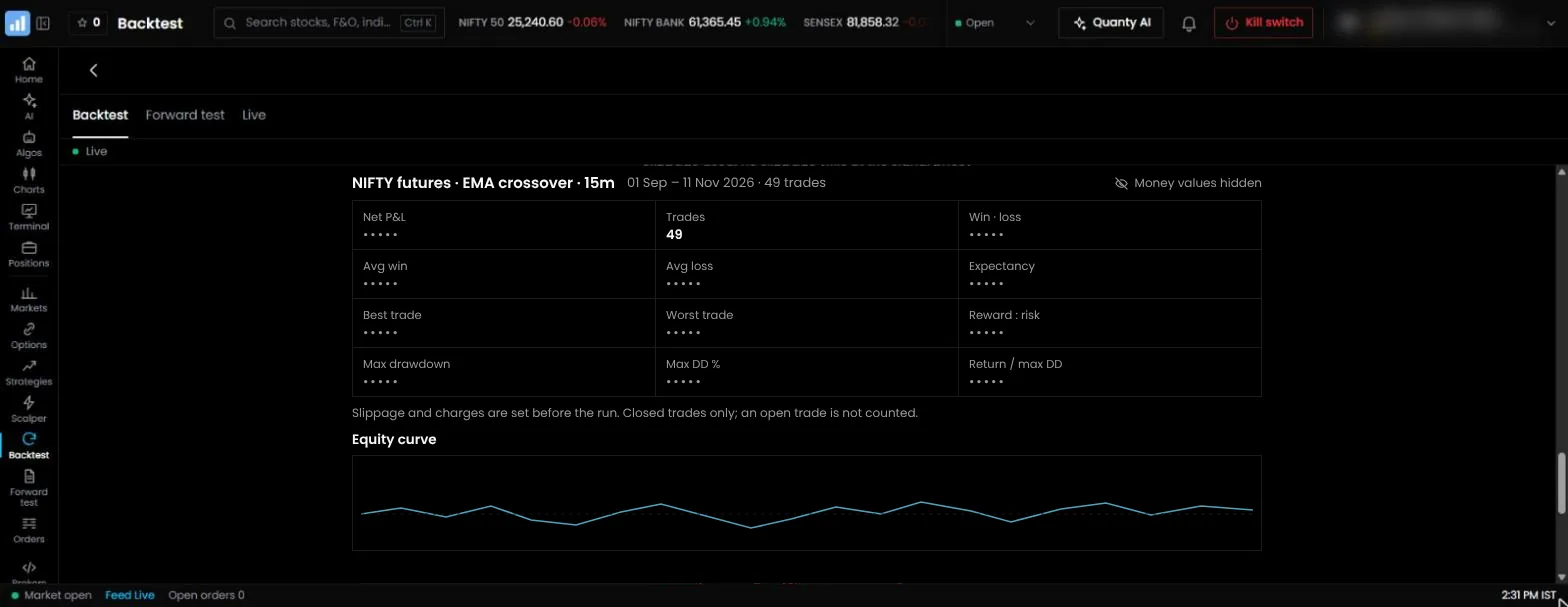
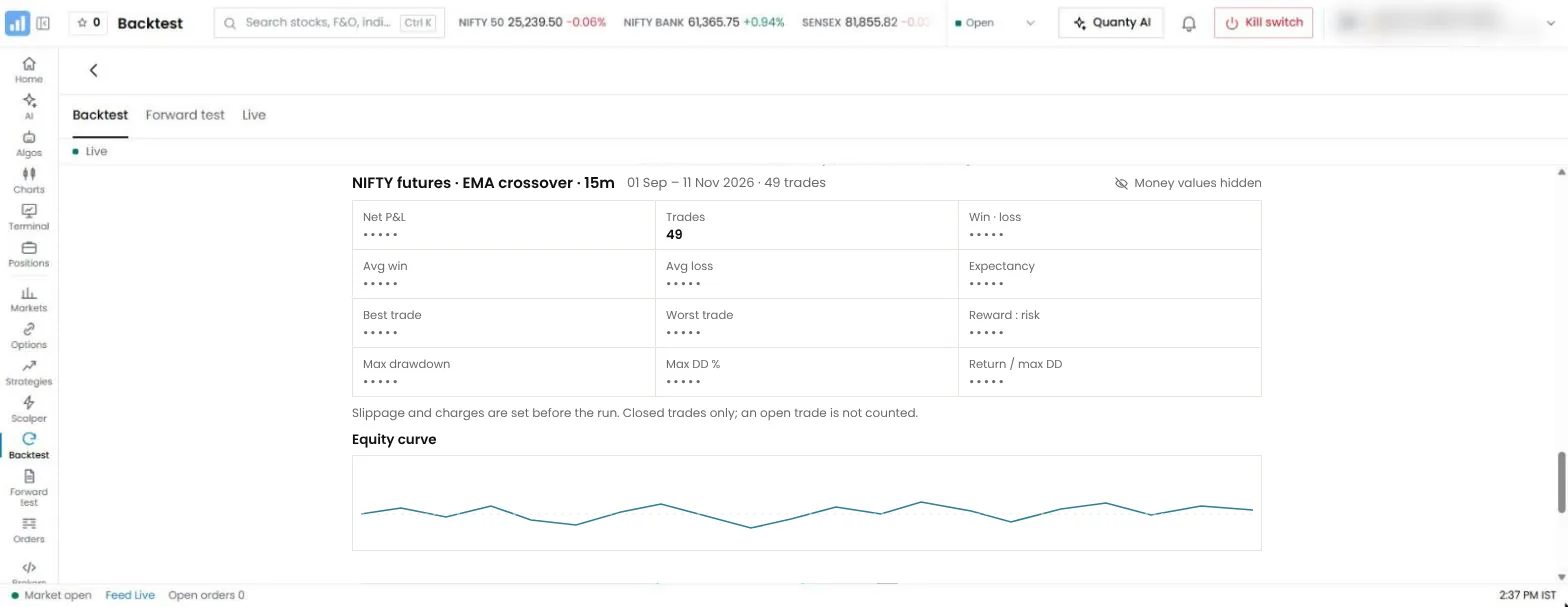
Backtests and forward tests are where most of your early usage goes.
| Product | Backtests | Forward test |
|---|---|---|
| QuantPower | 2 tokens each; 10 free a week | 100 tokens per algo per 28 days |
| AlgoTest | A free allowance every week, then credits | Credits per strategy per 28-day cycle |
| Tradetron | Charged for each run | A practice mode on live prices, with no orders sent |
| QuantMan | An allowance set by the plan | On its higher plan |
| uTrade Algos | Credits, with the history available set by the plan | Credits for each run |
| Streak | Included for Zerodha users | A set number of virtual strategies at a time |
| OpenAlgo | Built in, on your own server | A sandbox mode with simulated capital |
| AmiBroker | Built in, on your computer | Not part of the software |
A typical month on QuantPower, with one algo live, 20 backtests and Quanty used daily, comes to about ₹230 plus GST.
Costs beyond the software
Whichever platform you use, your broker charges for each executed order, and the exchange and government add their own charges. For option strategies with several legs, these usually cost more than the software.
Many brokers charge a fee on each executed order, commonly ₹20 for options. At ₹20 an order, the four strategies in the example above cost this much in brokerage alone:
| Strategy | Orders per trade, in and out | Brokerage per trade | Trades a month | Brokerage a month |
|---|---|---|---|---|
| Morning short straddle, daily | 4 | ₹80 | 21 | ₹1,680 |
| Iron condor, weekly | 8 | ₹160 | 4 | ₹640 |
| Expiry-day iron fly | 8 | ₹160 | 4 | ₹640 |
| Option-buying breakout | 2 | ₹40 | 30 | ₹1,200 |
| Total | ₹4,160 |
Re-entries and adjustments add more orders. On top come STT, exchange transaction charges, SEBI fees, stamp duty and GST, which are the same on every platform.
A fee on each order is not the only model. Some brokers sell a lifetime-free brokerage plan for a one-time payment, which takes the largest line out of this table. Some brokers also charge for API access or market data. Check your broker's current terms before you count a platform as cheap. Our best broker for algo trading report compares those fees.
Free algo trading software in India
Several products let you start without paying, each with its own limit:
- Streak is free for Zerodha users, with a cap on how many strategies run live at a time.
- OpenAlgo is free, open-source software. You supply the server, the static IP and the upkeep, and you are the one who keeps it running during market hours.
- AlgoTest gives every account free backtests each week. Live trading needs credits.
- Tradetron has a free tier for building and practising. Running more strategies live needs a paid plan.
- QuantPower gives new accounts free sign-up tokens, 10 free backtests a week and 5 free Quanty questions a day. Charts, the option chain, the screener, the strategy builder and the two static IPs are always free.
- Arth.live charts are free for everyone, with or without a QuantPower algo.
- Your broker's API is free at several brokers, and your own code can trade without registering the algo if it stays within 10 orders a second. You need programming skills and a static IP registered with the broker.
Free tiers still leave you paying brokerage and statutory charges on every order, which the section above shows can be the larger cost. Free tiers also tend to limit live strategies, backtests or supported brokers, and free self-hosted software moves the cost to your server and your time. Check the limit that matters for your trading before you build on one.
How to choose
If you want one app for charts, trading and algos
Count the apps you open today. If the answer is a charting service, an algo platform and your broker's app, look for a product that holds all three. QuantPower shows your positions, holdings and funds as your broker holds them, lets you trade from the chart or the Scalper, and runs your algos on the same order path.
If you sell options and run several strategies
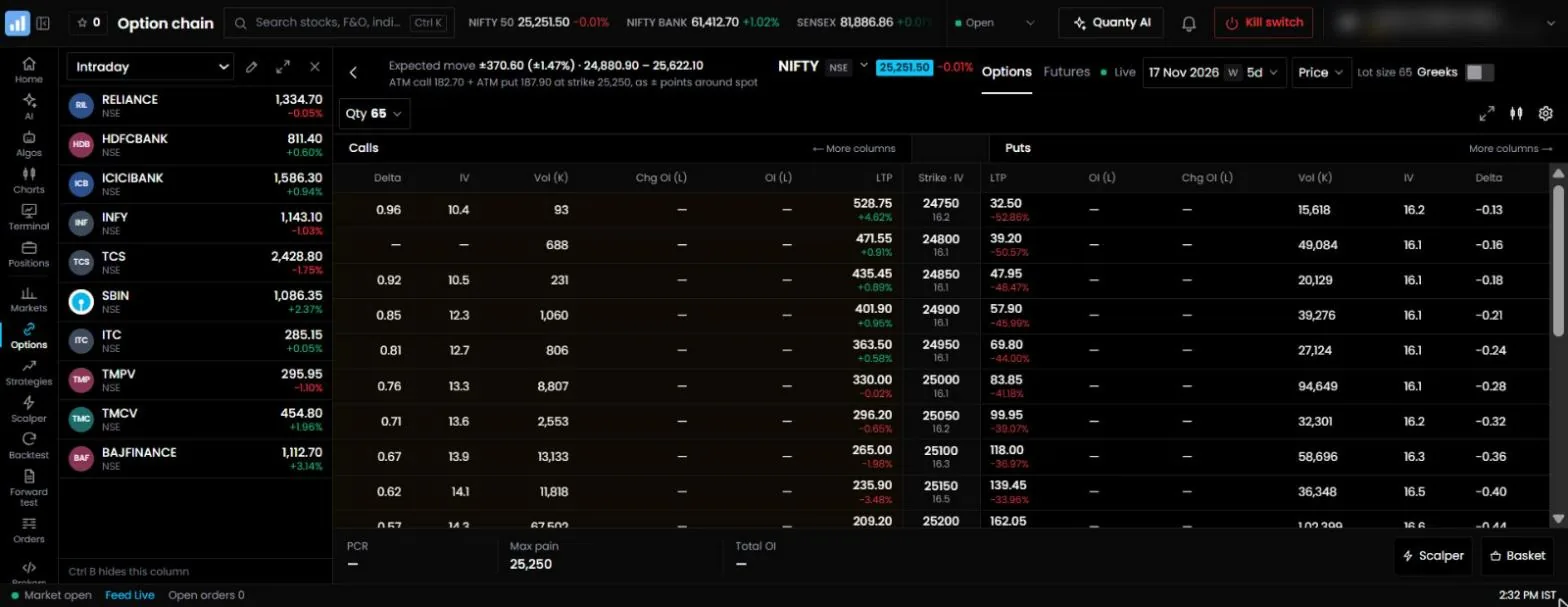
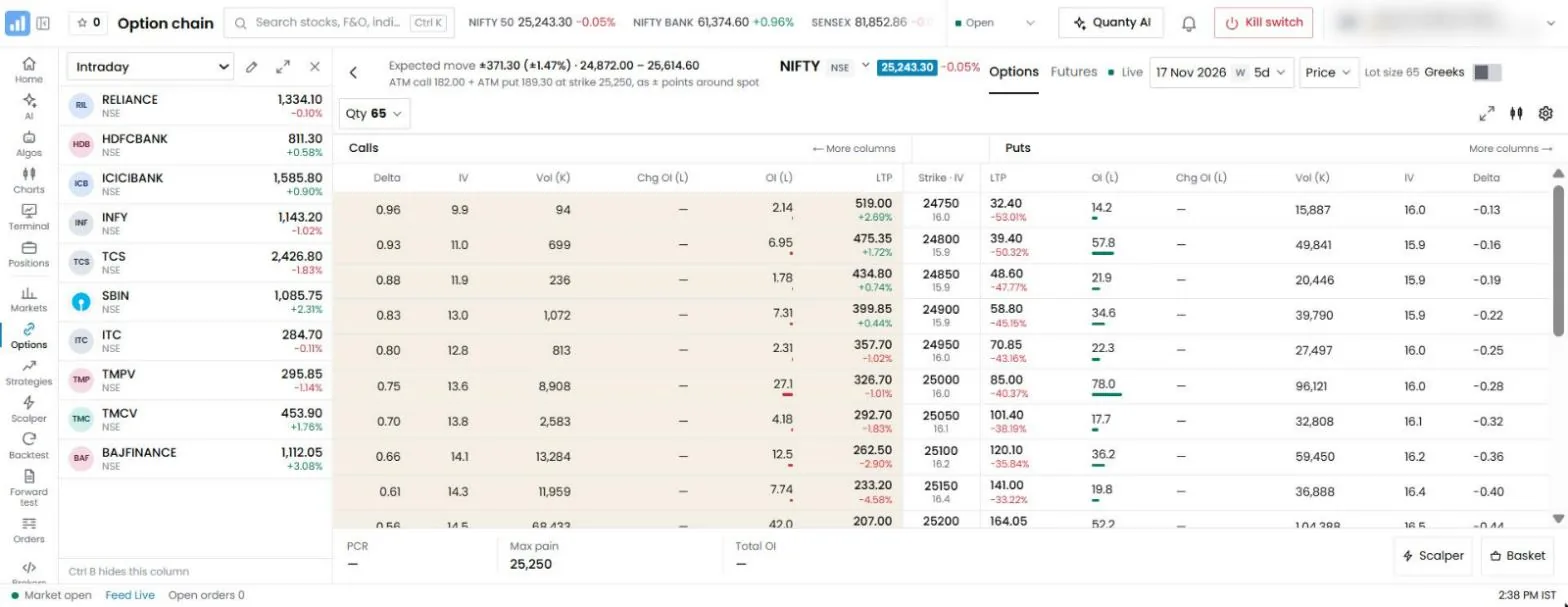
You need multi-leg entries, stops on each leg and on the whole position, exit times, an account-level loss limit and a kill switch. Compare the total for your real strategy count, using the list above. QuantMan suits traders whose rules depend on detailed adjustments.
If you buy options
Option buyers lose to time decay when a move stalls, so exits matter more than entries. Look for trailing stops, a time-based exit and a limit on re-entries after a stop. Keep the cost per trade low as well, since buying strategies usually trade more often than selling strategies. On QuantPower, orders inside a live algo are unlimited, so a busy buying strategy costs the same 200 tokens per 28 days as a quiet one. For fast manual entries, the Scalper puts the call and the put chart side by side.
If you trade shares and ETFs with indicators or patterns
Streak is free for Zerodha users and built for indicator strategies and stock scanners, within its cap on live strategies. If you trade with another broker, need more strategies live or want candlestick and chart patterns as conditions, choose a no-code builder that supports them on stocks, and check that the platform covers the cash segment and not only F&O.
If you trade from Arth.live price alerts or other chart alerts
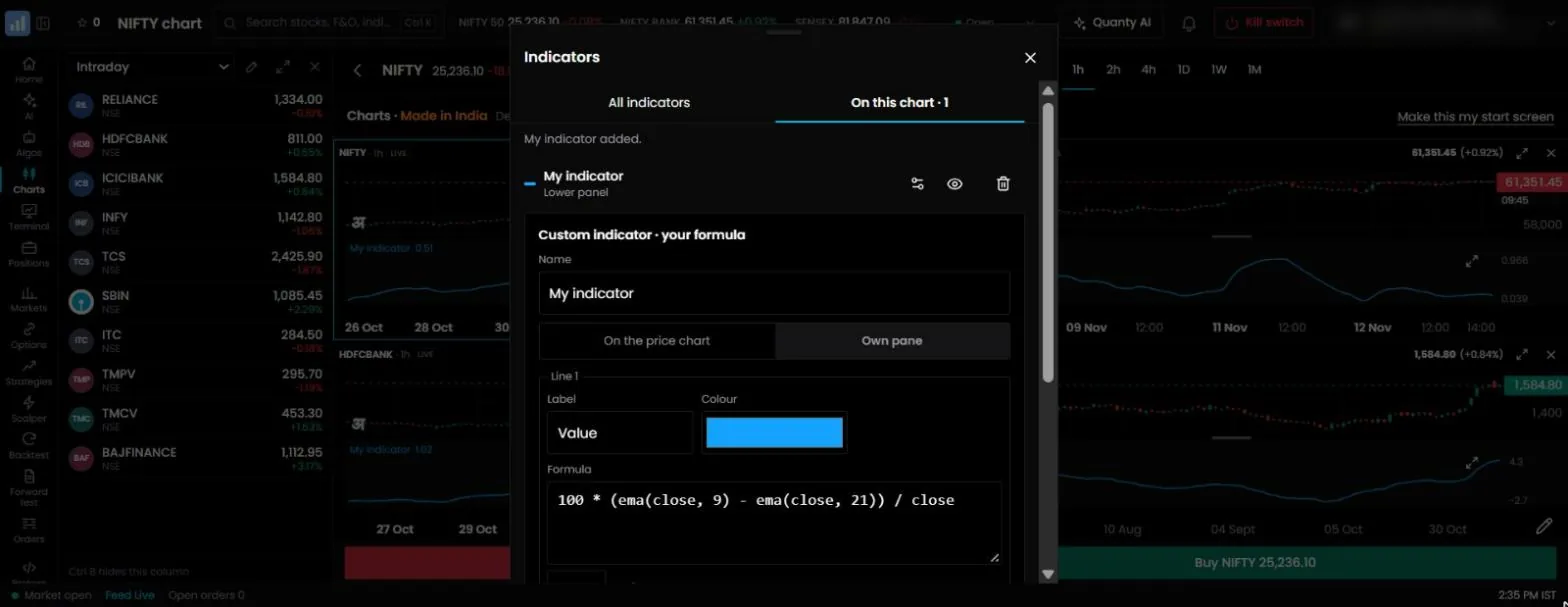
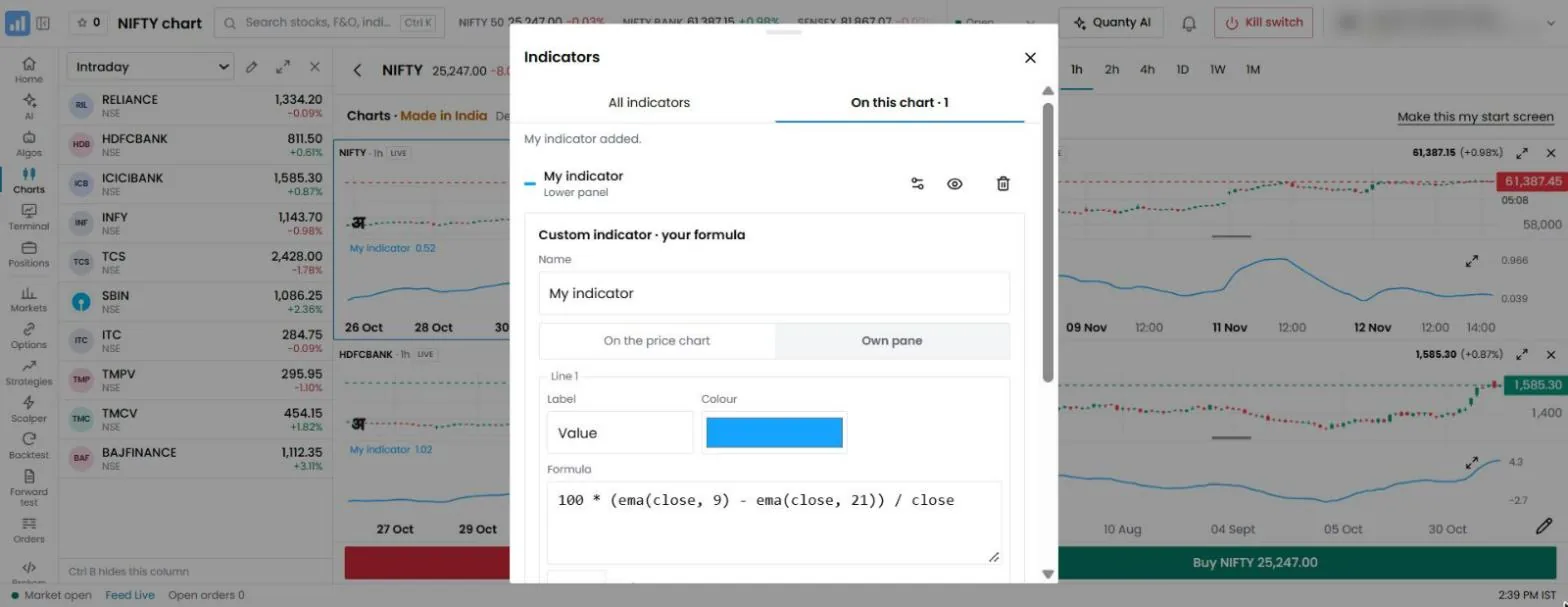
You need a platform that turns an alert into an order. AlgoTest sells this as its separate Signals product, and OpenAlgo takes webhooks on your own server. On QuantPower, a signal that places its own order costs no tokens, an algo that a signal or an outside chart alert starts is charged as a live algo at 200 tokens per 28 days, and alerts can come from free Arth.live charts or from other charting software. With a signal built inside QuantPower, the chart, the condition and the order are in one app, so there is no webhook to set up between them.
If you write code
Code gives the most control and the most work. You can run OpenAlgo on your own server, use AmiBroker with a bridge, or call your broker's API directly, within the 10-orders-a-second limit and from a registered static IP. QuantPower's Bridge is the other route: it sends your own strategies and signals to your broker through its official API.
If you want to host everything yourself
OpenAlgo is built for that. Budget for the server, plan who applies updates, and test what happens when the machine restarts during market hours. If that list reads like work you do not want, a ready-to-use platform is the better fit.
If you are starting out
Start with one simple strategy in forward test, and move to live trading only after it has behaved as expected for a few weeks.
| If you | Consider |
|---|---|
| Want charts, a trading terminal and algos in one app, with your own broker | QuantPower |
| Backtest options strategies often and run a few live | AlgoTest |
| Want to copy strategies built by other traders | Tradetron |
| Manage positions with detailed adjustment rules | QuantMan |
| Want ready-made strategies and an AI builder | uTrade Algos |
| Trade with Zerodha and use indicator strategies on stocks | Streak |
| Want open-source software on your own server | OpenAlgo |
| Write your own code on a desktop | AmiBroker with a bridge, or your broker's API |
Whichever you choose, backtest the strategy, run it in forward test and set a daily loss limit before you go live.
How to test a platform before you pay
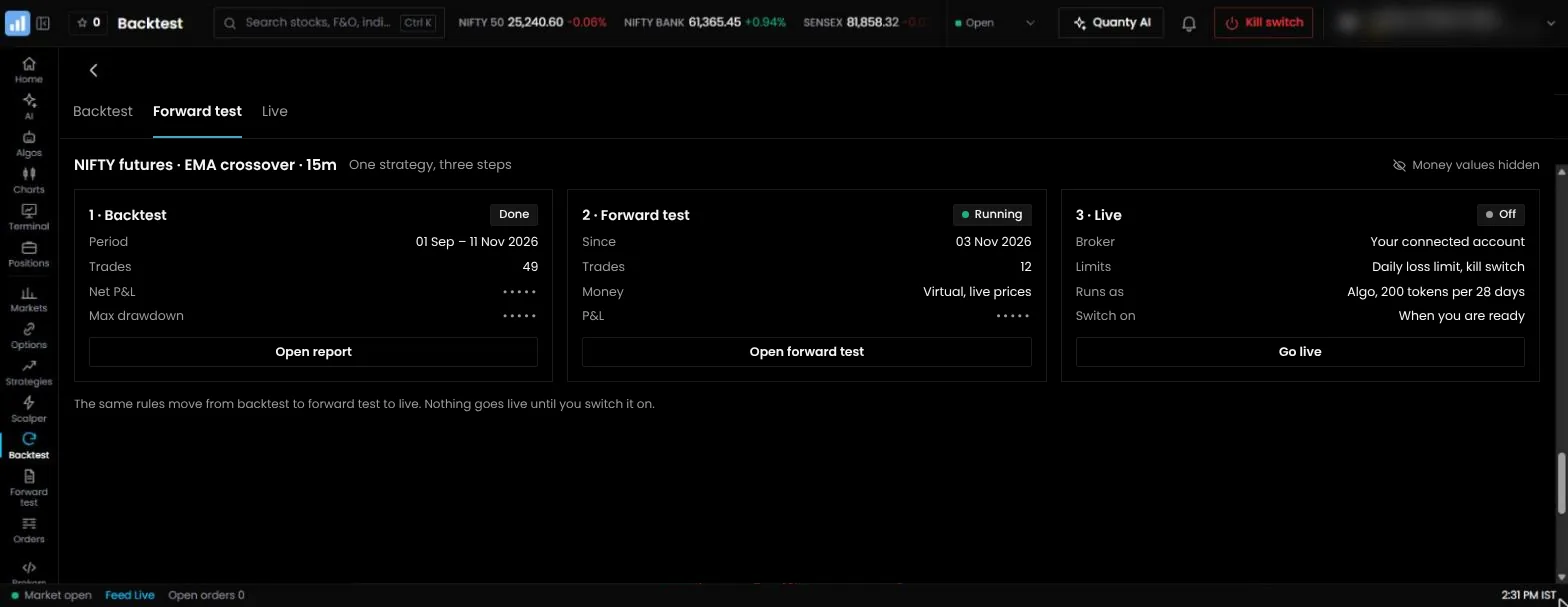
Most platforms offer a free allowance or a cheap first month. Use it to run the same strategy on each platform you are considering, so the results are comparable. A Nifty short straddle works well for this: sell the at-the-money call and put at 9:20 am, put a 25% stop on each leg and close at 3:15 pm. Plan two weeks for the whole test.
- Build the same rules on each platform. Note how long it takes and anything you could not express, such as a stop on the combined premium.
- Backtest the same period. Use at least a year, with the same slippage and charges. The results should be close. A large gap means the platforms treat entries, stops or data differently, so find out why before you trust either.
- Check five trades by hand. Pick five days from the trade list and compare entry time, strikes, stop price and exit with a one-minute chart.
- Forward test for five sessions. Compare the forward-test fills with the prices you saw on screen at the time.
- Test the loss limit and the kill switch. Set a small daily limit in forward test and confirm that it closes every position when it is hit. Then press the kill switch and check that every algo stops.
- Go live with one lot for a week. Compare the platform's log with your broker's order book. Every order, time and price should match.
- Ask support two questions during market hours. Note how long the answers take and whether they solve the problem.
Also check what happens when you close the browser, and what happens if your broker session expires during the day.
What the 2026 SEBI rules mean for your choice
SEBI's framework for retail algo trading has applied to all brokers since 1 April 2026.12 Any automated trading platform in India now has to work within it, and the rules affect which platforms you can use and how.
- Empanelment. Platforms that offer algos must be empanelled through a broker, and their strategies must be registered with the exchange. Every order carries an Algo ID.
- Your own code. Code you write and run yourself can send up to 10 orders a second without registration. Above that, the algo must be registered through your broker.
- Static IP. API orders must come from a static IP registered with the broker. Ask each product who provides it. QuantPower includes two with every account at no charge.
- Black-box strategies. An algo whose logic is not disclosed to you can be offered only by a provider registered with SEBI as a research analyst. If you subscribe to a strategy whose rules you cannot see, check that registration.
- No return claims. Brokers may not refer to the past or expected returns of an algo, or work with platforms that do. Treat any promise of fixed returns as a warning sign.
Before you connect an account, ask the platform which brokers it is empanelled with, whether the strategy you plan to run is registered and where the static IP comes from.
Running your strategies on QuantPower
- Sign up and connect your broker. QuantPower connects 100+ Indian brokers, including Wisdom Capital, Zerodha, Upstox, Fyers and IIFL Capital, and you log in on the broker's own page. Your account shows the two static IPs to register with your broker.
- Set your daily MTM limit first. It closes every position when the combined loss for the day reaches your number, whichever strategy caused it. The kill switch stops everything at once.
- Build your own strategy. The strategy builder creates options and futures strategies without code, or describe the rule to Quanty and let it build it. They run as algo bots on your own broker account.
- Backtest it. Run the rules over at least a year with slippage and charges included, and read the results trade by trade before you trust the summary.
- Forward test for two weeks. Run the strategy on live prices without orders and compare the results with the backtest.
- Go live with one lot. Compare the platform's log with your broker's order book for the first week, then add size slowly.
- Trade the rest from the same app. Manual orders from the chart or the Scalper, GTT orders, baskets and your holdings sit beside the algos, under the same kill switch.
What is changing next
Three changes are already visible on the products' own pages, and each one affects what you should check before you choose.
- Your own AI app is being connected to trading software. QuantPower, Tradetron and OpenAlgo each document an MCP connection for apps such as Claude and ChatGPT.48 What the AI app is allowed to do differs: some connections only read and build, and some can prepare an order that waits for you. Ask which it is.
- The rules are now part of the product. Since 1 April 2026 the static IP, the Algo ID and the empanelled provider are no longer extras.12 A product that makes them simple saves you work every day; a product that leaves them to you adds a server, an add-on or a form.
- Brokerage is moving away from one model. A fee on each executed order is still common, and lifetime-free plans for a one-time payment now sit beside it. For a multi-leg strategy that changes the total more than any software fee does.
None of this tells you which strategy will work. It only changes the list of things to check, and this page is updated when a product's own pages change.
Common mistakes when choosing algo trading software
- Choosing on the headline price. Compare the total bill for your actual strategy count, including forward tests, backtests, any charting subscription and the static IP.
- Counting only the algo tool. If you also need a charting service and your broker's app open all day, you are running three products. Check what the platform covers before you add the others.
- Calling self-hosted software free. The licence can be free while the server, the static IP and your evenings are not.
- Trusting a backtest you cannot check. If the platform shows only a summary chart, you cannot see whether entries, stops and fills match real prices.
- Skipping forward test. A strategy that has never run on live prices has not yet met slippage, rejected orders or an expired broker session.
- Running several strategies with no account-level limit. Each strategy's own stop can look reasonable while the combined loss for the day does not.
- Building a long chain. A chart alert, a webhook, a bridge and a broker API can all work on the day you test them. Ask what you will check first on the day an order does not go.
- Paying for rules you cannot see. A strategy whose logic is hidden is a black box under SEBI's rules, so check its provider's research analyst registration.
How we compared
We read each product's own public pages and documentation on 15 November 2026 and compared eight points: brokers supported, types of strategy, how it charges, testing tools, charts, the trading screens around the algo, the static IP and risk controls. Ready-to-use platforms are listed first, in order of how many brokers each connects as stated on its own pages; software you install or host yourself follows. We show QuantPower's own prices in full, and for the other products we describe how they charge and leave the current figures to their pricing pages, because those change often. Where a product's pages do not state something, the table says so. We did not measure live trading performance or speed, no product paid to be included, and nothing on this page is investment advice.
Start with 500 free tokens
Connect your broker, build a strategy and test it on paper before a single live order goes out.
Frequently asked questions
Which is the best algo trading software in India?
It depends on your broker, your strategies and how many separate apps you want to run. Zerodha users with indicator strategies can use Streak for free, traders who mainly backtest options may prefer AlgoTest, coders who want to host their own software can use OpenAlgo, and traders who want charts, a trading terminal, AI and live algos in one app, paying per use, can use QuantPower.
How much does algo trading software cost in India?
From nothing to a few thousand rupees a month, depending on the product and how many strategies you run. On QuantPower a live algo costs 200 tokens (₹200 plus GST) per 28 days, with charts and two static IPs included. Brokerage and statutory charges come on top and are often larger.
Is there free algo trading software in India?
Yes, with limits. Streak is free for Zerodha users. OpenAlgo is free, open-source software that you host on your own server. AlgoTest and QuantPower give free backtests every week, and Arth.live charts are free for everyone. In every case you still pay brokerage and statutory charges, and with self-hosted software you also pay for the server.
Do I need to download algo trading software?
Not for most platforms. QuantPower, AlgoTest, Tradetron, QuantMan, uTrade Algos and Streak run in a web browser. OpenAlgo is installed on your own computer or server, and AmiBroker is desktop software that needs a bridge to place orders. Be wary of downloads that promise ready-made profitable bots: under SEBI's rules, algos reach retail traders through a broker.
Do I need separate charting software?
Only if the platform's own charts are not enough for you. QuantPower includes Arth.live charts, free, with 201 indicators and up to 16 charts on one screen, and you can place and manage orders from the chart. Alerts from other charting software can still trigger orders through signal trading.
Can I trade shares and ETFs, or only options?
It depends on the product. Several algo platforms are built mainly around option strategies. QuantPower covers NSE and BSE cash and F&O, commodity and currency, with holdings, pledging and stock SIP in the same app, so shares and ETFs trade from the same screens as options.
OpenAlgo or AmiBroker: which should a coder pick?
They do different jobs. AmiBroker is desktop research software: charting and fast portfolio backtesting in its AFL language. OpenAlgo is a self-hosted trading layer that takes orders from your code, your signals or your AI app to your broker. Pick by where your work is, research or execution, and note that OpenAlgo can take signals from AmiBroker.
Which algo trading platform is best for option buying?
One that exits quickly and cheaply. Look for trailing stops, a time-based exit and a limit on re-entries, and compare the cost per trade, since buying strategies trade often. Any of the option-focused platforms on this page can run buying rules. For manual scalps beside the algo, look for a fast option screen such as QuantPower's Scalper.
Can I build an algo strategy without coding?
Yes. QuantPower, AlgoTest, Tradetron, QuantMan, uTrade Algos and Streak build strategies without code, and OpenAlgo has a no-code Flow builder beside its Python strategies. On QuantPower you can also say the rule in words and Quanty builds it for you to check. AmiBroker uses its AFL language, with a wizard that writes formulas from sentences.
Is TradingView an algo trading platform?
No. TradingView is a charting platform and does not run strategies on your broker account.10 Its own terms also do not permit automated orders from its alerts and webhooks without a separate agreement with TradingView; see TradingView algo trading.
Can I use algo trading software with any broker?
Only with brokers the platform supports through their official APIs. QuantPower connects 100+ Indian brokers, including Wisdom Capital, Zerodha, Upstox, Fyers and IIFL Capital, and Streak supports only Zerodha. If your broker is not listed, you change platform or open an account with a supported broker.
Can algo trading software guarantee profits?
No. A backtest shows how rules would have performed in the past, and live results differ because of slippage, costs and changing markets. SEBI bars brokers from referring to the returns of algos.
Related comparisons
Each product's section above links to its own comparison page. More comparisons:
References
- SEBI, circular on safer participation of retail investors in algorithmic trading, 4 February 2025, and the glide-path circular of 30 September 2025 (sebi.gov.in)
- NSE, implementation standards for retail algo trading, 5 May 2025, and operational modalities, 22 July 2025 (nseindia.com)
- AlgoTest: its documentation (docs.algotest.in) and pricing pages (checked 15 November 2026)
- Tradetron: its home, pricing and MCP pages (tradetron.tech) (checked 15 November 2026)
- QuantMan: its home page and FAQ (quantman.trade) (checked 15 November 2026)
- uTrade Algos: its home and pricing pages (utradealgos.com) (checked 15 November 2026)
- Streak: Zerodha's announcement of Streak v4 on Z-Connect (zerodha.com) (checked 15 November 2026)
- OpenAlgo: its documentation (docs.openalgo.in) and its public code repository (checked 15 November 2026)
- AmiBroker: its home page (amibroker.com) (checked 15 November 2026)
- TradingView: its plans and limits page (tradingview.com) (checked 15 November 2026)
- Indian Review of Corporate and Commercial Laws, From co-location to kill switches: analysing India's HFT framework (read 15 November 2026)
- Taxmann, SEBI extends deadline for retail algo trading framework (read 15 November 2026)
- Zerodha, Upstox, Fyers, IIFL Capital, Wisdom Capital: published brokerage, API and support pages (checked 15 November 2026)
- QuantPower: pricing and product pages (checked 15 November 2026)