In short, you need a trading account with the segments you trade switched on, an API key and secret issued to you by your broker, your static IP registered with that broker, and a daily sign-in to the broker. QuantPower takes care of the static IP: every account gets 2 static IPs free, a primary and a backup, and your API orders leave only from them. Your keys are stored encrypted and never shown again, your funds and shares stay with your broker, and you can connect more than one broker at a time. This page goes through each requirement, what it is for, and the mistakes that most often stop the first order.
What you need
| Requirement | What it means | Where you set it up |
|---|---|---|
| A trading account | An account at a broker that QuantPower connects to | Your broker |
| Segments switched on | F&O for options and futures, commodity and currency if you trade them | Your broker |
| API key and secret | Issued to you, for your own account | Your broker's API or developer page |
| Static IP registered | The address your API orders come from | QuantPower shows your two IPs; you register them at your broker |
| Daily sign-in | A new broker session each trading day | QuantPower, on your broker's own page or with a code |
| Two-factor authentication | A code from an authenticator app or an OTP at sign-in | Your broker |
| Order-rate limit | Your own algos stay below 10 orders a second | Your strategies |
| Margin and tokens | Funds at your broker for positions; tokens for live algos | Your broker; QuantPower wallet |
Your funds and securities stay with your broker throughout. Connecting a platform does not move money anywhere.
The order matters. Segments take the longest, because your broker may ask for documents, so start there. The API key and the static IP come next, and they belong together: at many brokers you register the IP while creating the key. The daily sign-in is last, and it is the only step you repeat. Once the first sign-in works and your funds appear, the connection is ready for a Forward test or a first small live order.
A short history of the rules behind broker connections
Algo trading in India began with institutions. In 2008 SEBI allowed direct market access, which let institutional clients send orders to the exchange through a broker's systems.1 In 2012 SEBI published its first guidelines on algorithmic trading, which required exchanges to put risk controls in place and brokers to get each algo approved before offering it to clients.2
Retail traders came to APIs later, as discount brokers opened their systems to clients who wrote their own programs. For several years an individual could connect almost any program to a broker's API with a key, from any address, and the rules did not say much about it. That openness made automation cheap, and it also made it hard to know who was behind an order.
SEBI's circular of 4 February 2025 on safer participation of retail investors in algorithmic trading closed that gap.3 It made the broker responsible for every algo order that passes through it, ended open APIs in favour of a key issued to each client, tied API access to a static IP registered with the broker, set a limit of 10 orders a second above which an algo must be registered, and required API sessions to end every day. The NSE set out how brokers should apply it in May and July 2025.4 After two delays, the framework applied to every broker from 1 April 2026. The requirements on this page follow from it.
Segments: F&O, commodity and currency
Your broker must switch on each segment before it accepts orders in it, whether you place them by hand or through an API. For F&O, brokers ask for proof of income or net worth, such as a bank statement, a salary slip or an income tax return, and for your acceptance of SEBI's risk disclosure on derivatives. The commodity and currency segments are separate. Ask for each well before the day you plan to start, and check that they show as active in your broker's own app.
QuantPower covers NSE and BSE cash and F&O, commodity and currency. A segment that is off at your broker refuses orders with a plain message from the broker; QuantPower shows that message as it comes.
Your own API key and secret
Under SEBI's framework there are no open APIs: each client uses an API key issued to them, with a matching secret. You create it on your broker's API or developer page, where you also register your static IP.
- Create the key on your broker's developer page. Some brokers call it an app; you give it a name and get a key and a secret.
- Enter it in QuantPower once. Open Brokers, choose your broker, and enter your client code, API key and API secret. QuantPower asks for your tap, then sends the keys once over an encrypted connection.
- It is stored encrypted and never shown again. The screen shows your client code masked. If you need to change the key, enter a new one.
Treat the secret like a password. Anyone who asks for it in a chat group, or offers to set up your API for you, is a warning sign. QuantPower places your orders with your own key, so every order is traceable to you.
Three ways to connect
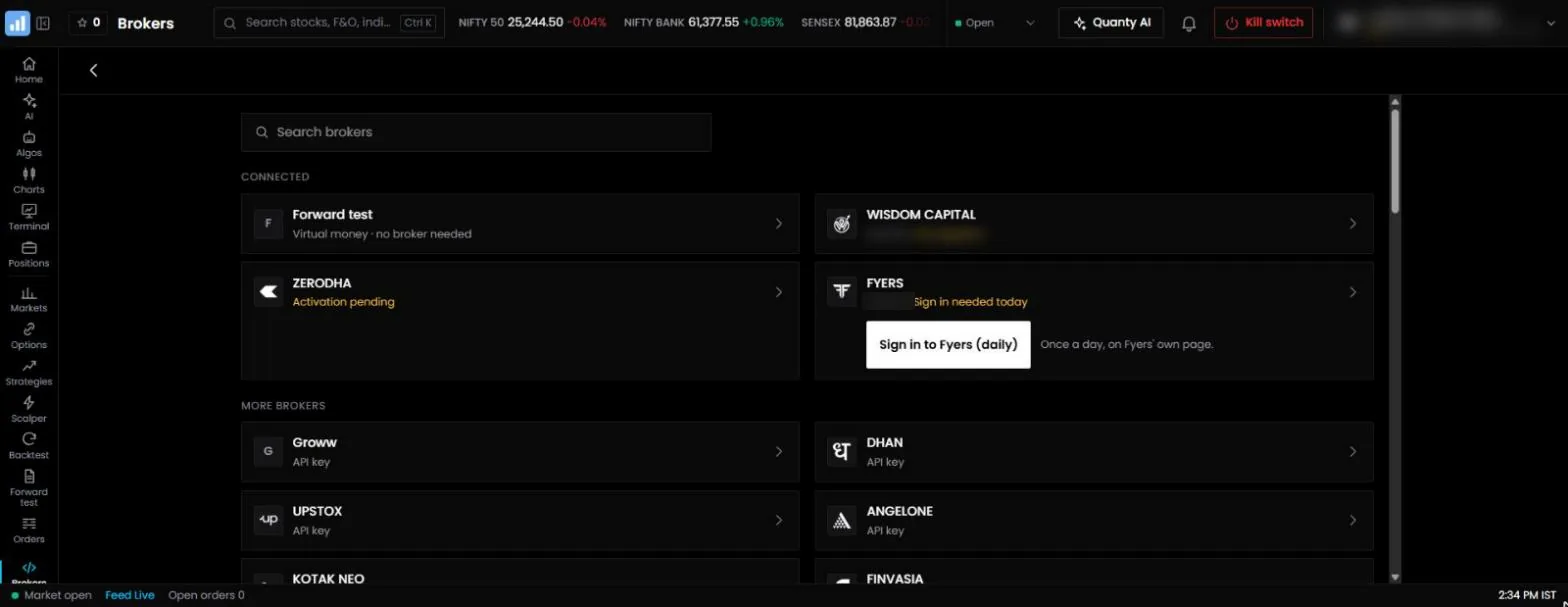
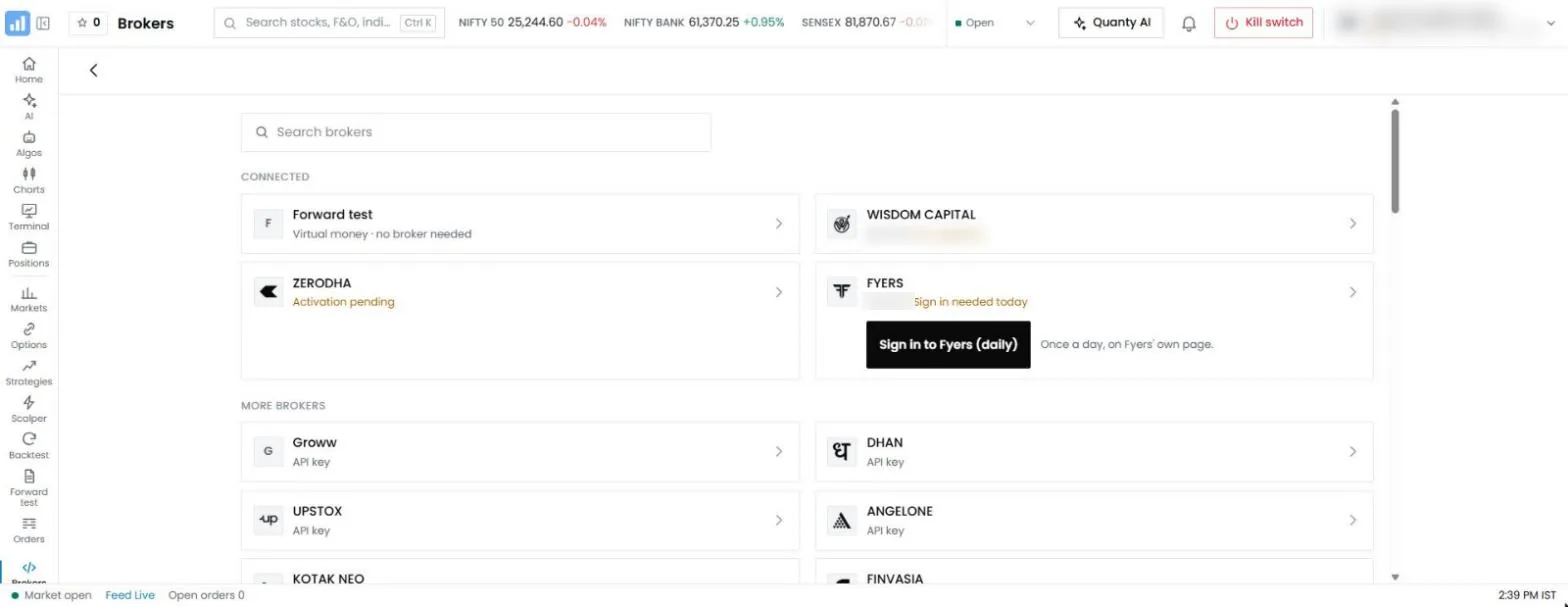
| Way | How it works | When it applies |
|---|---|---|
| API key | You enter your client code, API key and secret; orders leave from your static IP | The usual case at most brokers |
| Redirect sign-in | You sign in on the broker's own page and come back; your password never touches QuantPower | Zerodha, Upstox and Fyers |
| Client code | You sign in on the broker's own page; no API key is needed | Where your broker hosts QuantPower inside its own systems |
Your static IP
API orders must come from a static IP registered with your broker. Every QuantPower account gets 2 static IPs free: a primary and a backup. Whichever broker you trade with, these are free from QuantPower. No subscription. No questions asked. The Brokers screen shows them beside each broker connection, ready to copy into your broker's developer page.
- Register both. Exchange rules let you register a primary and a secondary address. Use one as the primary and the other as the backup.
- Orders leave only from your IPs. Your orders go out through your own addresses and no other. If that route is down, orders are held, never sent from a different address that your broker would reject.
- Changes are limited. Exchange rules allow one change of registered IP a calendar week, except in an emergency. Register the addresses once and leave them.
- Family can share. Brokers let a spouse, dependent children and dependent parents use the same registered IP, with the broker's approval. Each person still uses their own account and their own key.
- The check is on orders. At many brokers, only order requests must come from the registered IP; prices and positions load from any address. A missing or wrong IP therefore first shows up as rejected orders.
Where your broker hosts QuantPower inside its own systems and you sign in with your client code, the broker's own setup carries your orders, and you do not register an IP yourself.
When your broker hosts QuantPower
Some brokers run QuantPower inside their own systems for their clients. In that case the connection works differently:
- You sign in with your client code on the broker's own page, as you would to the broker's own app.
- No API key is needed, because the software already runs inside the broker's systems.
- You do not register a static IP yourself. Orders travel inside the broker's own setup.
- The broker's own rules apply to which segments, products and features are switched on, and to how often you sign in.
Everything else on this page still applies: the segments must be active, the order-rate limit for your own algos stands, and your account-wide limits cover what you trade. If you are not sure which way your broker connects, the Brokers screen shows it when you choose the broker.
The daily sign-in
Every broker ends API sessions before the next trading day, as SEBI's framework requires. QuantPower follows each broker's own rule:
| Broker | How you sign in each day |
|---|---|
| XTS brokers | "Log in again" in QuantPower, using your saved key; the row shows when the session ends |
| Fyers, Zerodha, Upstox | Sign in on the broker's own page from QuantPower; Zerodha and Upstox sessions end early the next morning |
| Dhan | Paste a new access token when the old one ends; its own expiry is used |
| Shoonya | Sign in with a code you type that day |
What QuantPower does with the session:
- "Sign-in needed" shows on a connection whose session has ended.
- A live algo cannot switch on while its broker is signed out, if it would enter now. If its entry is later today or tomorrow, it switches on and its card reminds you to sign in before the entry. Nothing signs you in on your behalf.
- If a broker does not answer, risk checks refuse new orders. "No answer" is never read as "no positions".
A few habits help:
- Sign in before the first entry. A strategy scheduled before you sign in will not place its orders.
- Keep your phone's clock on automatic time, or authenticator codes may fail.
- Check that funds appear. If they show as zero after sign-in, the sign-in did not complete, so connect again.
Two-factor authentication
Your broker asks for a second factor at sign-in: a six-digit code from an authenticator app, or an OTP. On the broker's own sign-in page you enter it there, so it goes only to the broker. QuantPower has its own second factor too, for your QuantPower account: actions such as Exit all, the kill switch and connecting an AI app ask for it before they run. The two are separate, and both protect your money.
Order-rate limits
Strategies you build for your own account must stay below 10 orders a second. Above that rate an algo must be registered through your broker and carry its own Algo ID, and brokers reject orders from unregistered algos that cross the line. Brokers can also set their own caps per second, per minute and per day, and on how often one order can be modified.
Rule-based strategies rarely come near these limits, and QuantPower's own order flows keep well below them: an algo's buy legs go before its sell legs, an iceberg order sends one leg only after the previous one fills, and exits that fail are retried with a growing gap rather than all at once. Three habits keep you clear when you build your own:
- Space out the legs of a multi-leg entry instead of sending them in the same instant.
- Count the slices. Each slice of a large order is a separate order.
- Avoid rules that modify an order on every tick.
API and market data charges at your broker
Placing orders through a broker's API is free at many brokers. Market data is where they differ, and live prices in QuantPower come from your own broker account, so your broker's charge, if any, applies to you. Zerodha, for example, charges for live market data through its Kite Connect plan; several other brokers include it at no charge. Check your broker's current terms before you connect. Our report on the best broker for algo trading compares API costs and brokerage, and the Zerodha algo trading page covers the Zerodha setup step by step.
Connecting more than one broker
You can connect more than one broker. With two or more connected:
- The order sheet has a broker picker, and nothing is ever sent to a guessed broker.
- Each algo runs at one broker, chosen when you switch it on. A restart stays at the same broker; it never moves to another on its own.
- The kill switch, daily loss limit and Smart Exit cover the whole account, across every connected broker.
- Each exit goes to the broker that holds the position.
Each connection needs its own key, its own registered IP at that broker and its own daily sign-in.
What a broker connection can and cannot do
A broker connection lets QuantPower do what your broker's API allows for your own account, and no more.
It can:
- Read your positions, holdings, funds and orders at that broker.
- Place, change and cancel orders on your account, when you or an algo you switched on send them, through the one order path with every risk check.
- Read live prices from your broker's feed for your charts, alerts and algos.
It cannot:
- Move money. Funds go between your bank and your broker as they always have; QuantPower holds none.
- Transfer shares out of your demat account. Pledging for margin is done with your broker.
- See your broker password, where your broker uses redirect sign-in.
- Act for anyone else. A key is issued to one client for one account.
Every sensitive action on the QuantPower side, such as Exit all, the kill switch and connecting an AI app, asks for your QuantPower second factor. An AI app you connect can prepare an order for you to confirm, but never place one. The security algo trading guide covers these limits in more detail.
Margin before the first live order
A broker checks margin on every order. Before your first live algo runs, make sure the account holds enough for the whole strategy, not just its first leg.
- Look at the strategy's margin in the strategy builder or the order sheet before you switch it on. A hedged option strategy usually blocks much less than its sold legs alone, because the broker counts the hedge.
- Keep a buffer. Margin requirements rise on volatile days, and a strategy that needs ₹1,20,000 at 9:20 am may need more by noon.
- Remember the hedge order. QuantPower sends buy legs before sell legs, so the broker sees the hedge first; if the hedge is refused for margin, the sold legs never go.
If an entry order is refused for margin, the algo closes any legs already in, stops, and shows the reason. It never leaves half a strategy open on its own.
From Forward test to live
Forward test runs the same algo with test money and needs no broker at all. It is the right first step, but it does not test the connection itself. Before your first live day:
- Run the algo in Forward test for a few weeks, until it behaves as you expect.
- Connect the broker and complete one sign-in, a day ahead of going live.
- Place one small order by hand through QuantPower, such as one lot of a liquid option, and close it. This proves the key, the IP and the segment together.
- Switch the algo on live at the smallest size.
An algo paid for as a Forward test that goes live within the same 28 days pays only the difference between the two prices.
If you change broker
Moving to a new broker means a new connection, not an edit of the old one.
- Connect the new broker with its own key. QuantPower shows your two static IPs on every broker connection; register them on the new broker's developer page too.
- Algos stay with the broker they ran at. A restart never moves an algo to another broker. Switch it off, and switch it on fresh at the new broker.
- Disconnect the old broker once its positions are closed. An algo whose broker was disconnected cannot restart there until it is connected again.
For authorised persons and sub-brokers, the rules on whose accounts may share a connection are stricter; see algo trading for sub brokers.
On the first day, step by step
- Open Brokers in QuantPower and choose your broker.
- Copy your two static IPs from the screen and register them on your broker's developer page.
- Create your API key and secret there, if you have not already.
- Enter your client code, key and secret in QuantPower, or sign in on the broker's page if your broker uses redirect sign-in.
- Check your account: funds, holdings and positions should appear. The row shows "signed in" and when the session ends.
- Start in Forward test. Run your first strategy with test money before it trades live. Forward test needs no broker connection at all.
- Set your account-wide limits: a daily loss limit, and Smart Exit if you use it.
A broker on the list whose order connection is not yet switched on shows "Activation pending". Your keys are saved, encrypted, and nothing is sent to that broker until its connection is on.
Common problems on the first day
| Problem | Usual cause | What to do |
|---|---|---|
| Positions load, orders are rejected | The IP is not registered, or not saved at the broker yet | Check the IPs on your broker's developer page against the ones QuantPower shows |
| Funds show as zero | The sign-in did not complete | Sign in again from Brokers |
| "Sign-in needed" every morning | Normal: sessions end daily | Sign in before your first entry |
| Order rejected for the segment | The segment is off at your broker | Ask your broker to switch it on |
| Authenticator code refused | The phone's clock is off | Set the clock to automatic time |
| Algo would not switch on live | No broker signed in, or a risk limit already reached | Read the reason on the algo card; sign in or review the limit |
A checklist before the first live algo
Go through it once, the day before:
- The segment the algo trades is active at your broker.
- Your API key and secret are saved in QuantPower, and the row shows your client code.
- Both static IPs are registered on the broker's developer page and saved there.
- You have signed in once and seen your funds and positions.
- One small manual order went through and was closed.
- The account holds the strategy's margin plus a buffer.
- Your daily loss limit is set, and Smart Exit if you use it.
- Your wallet holds the tokens for the algo's 28 days.
- You know the time you must sign in each morning before the first entry.
Common mistakes
- Registering the IP in the wrong field. Some developer pages have separate fields for redirect addresses and static IPs. The IP goes in the static IP field.
- Saving the key before registering the IP. At some brokers the IP is part of the app; create the app with the IP in place.
- Forgetting the daily sign-in. It is the most common reason a morning entry does not go out.
- Sharing a key. A key belongs to one client and one account. A family member uses their own key, even on a shared IP.
- Going live without a test order. One small order the day before finds a missing segment or IP while nothing is at stake.
- Changing the IP often. Exchange rules allow one change a week outside emergencies. Register QuantPower's two addresses once and leave them in place.
A worked example: connecting an API-key broker
Suppose your broker uses API keys and you want to run one algo live.
- On Monday evening you open Brokers in QuantPower, choose your broker and copy the two static IPs shown.
- On your broker's developer page you create an app, paste the first address as the primary IP and the second as the secondary, and save. You note the API key and secret.
- Back in QuantPower you enter your client code, the key and the secret, and tap to confirm. The row shows your client code masked.
- On Tuesday at 9:05 am you tap "Log in again". The row shows "signed in" and the session's end.
- Your funds and positions appear. You switch the algo on live; its first entry at 9:20 am goes out from your registered IP.
If the order had been rejected for its source address, the first place to look would be step 2: an IP saved in the wrong field, or not saved at all.
A worked example: a redirect sign-in broker
Suppose you trade with a broker that uses redirect sign-in, such as Zerodha, Upstox or Fyers.
- Register your two static IPs and create your API app on the broker's developer page, as above.
- In QuantPower, choose the broker and enter the app's key.
- Tap Sign in. The broker's own page opens. Enter your client ID, password and two-factor code there; they go only to the broker.
- The broker sends you back to QuantPower, signed in for the day.
- Each morning, repeat step 3. The session ends early the next morning.
Your broker password never touches QuantPower in this flow.
Where broker connections are going
The direction since 2025 has been towards connections that are traceable, limited and renewed every day: a key per client, an address per client, a fresh session each morning and a clear limit on order rates. Brokers have also begun to host trading software inside their own systems, where the client signs in with a client code and the broker carries the orders. Either way, the requirement that matters most is the same: every order can be traced to the person who placed it.
Pricing
Connecting brokers is free in QuantPower, and every account gets 2 static IPs free, a primary and a backup. Tokens (1 token = ₹1, GST extra) pay for live algos (200 per algo per 28 days), Forward tests, backtests beyond the free ones and AI use. Broker API and data charges are separate and paid to your broker. See pricing.
Start with 500 free tokens
Connect your broker, build a strategy and test it on paper before a single live order goes out.
Frequently asked questions
Do I need to buy a static IP for QuantPower?
No. Every QuantPower account gets 2 static IPs free, a primary and a backup, whichever broker you trade with. Register them with your broker as your primary and secondary addresses.
Can I connect more than one broker?
Yes. Each connection has its own key, registered IP and daily sign-in. The order sheet asks which broker to use, and the account-wide limits cover all of them together.
Why does my broker connection need a sign-in every day?
SEBI's framework requires API sessions to end every day. QuantPower shows "Sign-in needed" when a session has ended, and follows each broker's own sign-in method.
Does the static IP rule apply to orders I place by hand?
It applies to orders sent through an API. Orders you place yourself in your broker's own app or website need no registered IP.
Can I manage other people's accounts?
No. Your API key is for your own account, and a shared IP only for your family as SEBI defines it. Trading for clients needs SEBI registration, for example as a portfolio manager.
What does "Activation pending" mean on a broker?
Your keys are saved, encrypted, but that broker's order connection is not switched on yet, so nothing is sent to it. The broker row changes once its connection is on.
Related guides
- Best broker for algo trading: API costs, brokerage and rules compared
- Algo trading for sub brokers: what authorised persons may and may not do
References
- SEBI, circular on direct market access, April 2008 (sebi.gov.in)
- SEBI, broad guidelines on algorithmic trading, 30 March 2012 (sebi.gov.in)
- SEBI, circular on safer participation of retail investors in algorithmic trading, 4 February 2025, and glide-path circular, 30 September 2025 (sebi.gov.in)
- NSE, implementation standards for retail algo trading, 5 May 2025, and operational modalities, 22 July 2025 (nseindia.com)
- Zerodha: charges for Kite APIs (support.zerodha.com), checked 20 October 2026
- QuantPower: broker connections, static IPs, daily sign-in rules and order path, from the app's code, checked 12 November 2026