MTM stands for mark to market: the profit or loss of your open positions at today's prices. A stop on each trade protects that trade at its trigger price. It does not see your other trades, and it does not see the day as a whole. In QuantPower, three account controls sit above every trade, manual or automated: Smart Exit, which squares off everything at a profit target, a loss, a locked profit or a trailing level; a daily loss limit, which refuses new orders once the day's loss reaches it; and a kill switch, which stops a segment for the rest of the day. All three count your combined MTM across every broker you have connected.
What the MTM stop loss does
| Control | What it does | When it acts |
|---|---|---|
| Stop loss order (SL, SL-M) | Sends one exit order to the exchange when its trigger price is reached | On one position, at its own trigger |
| Smart Exit | Cancels open orders in its segments, stops the algos there and squares off every position | When the combined MTM reaches your target, your stop, a locked profit or a trailing level |
| Daily loss limit | Refuses new orders for the rest of the day; exits are never blocked | When today's loss reaches the limit |
| Maximum orders a day | Refuses new orders above the cap | When the day's order count reaches it |
| Kill switch | Stops trading in the segments you pick until the next session and cancels their open orders | When you press it |
| Exit all | Stops running algos, then squares off every position, or one segment | When you press it |
| Algo MTM rules | Exit one algo's legs at its own ₹ or % target, stop, lock or trail | When that algo's MTM reaches its level |
| Price | Free: the account controls cost no tokens | Always |
A short history of stop losses and MTM limits
A stop loss order is an old idea with a simple purpose: decide the exit before the trade, so that a losing position closes without a decision in the heat of the moment. Stop orders, which become market orders once a price is touched, were in use on American exchanges by the early twentieth century, and traders' memoirs from that time treat cutting losses quickly as the first rule of speculation.
Mark to market is older still in the futures markets. Clearing houses settled futures positions against each day's price long before computers, collecting losses and paying gains every day, so that no position could run up a loss larger than its margin without being noticed. The same daily marking is how a broker in India works out your margin and your MTM today.
Stops also showed their limits. In fast markets, a stop that becomes a market order can fill far from its trigger. On 6 May 2010, during the "flash crash" in the United States, stop-loss orders turned into market orders and some filled at prices far below the market, which the joint report of the SEC and CFTC later described.1 That is the reason many exchanges now prefer, or require, stop-limit orders with a limit price.
In India, the NSE does not accept stop-loss market (SL-M) orders in options, so option stops are placed as stop-limit (SL) orders.2 SEBI's study of individual traders in equity derivatives, published on 23 September 2024, found that about 93% of them lost money over the three years to March 2024.3 Less than two weeks later, SEBI's measures of 1 October 2024 brought in intraday monitoring of position limits and upfront collection of option premium, among other changes.4 For a retail trader, the lesson of both is the same: the size of the loss you can take in a day is a decision to make before the day starts.
How to place a stop loss order
A stop loss order waits with your broker until the price reaches a trigger, then goes to the exchange. In QuantPower's order sheet, or your broker's own order window:
- Choose the opposite side of your position: sell to protect a bought position, buy to protect a sold one.
- Choose the order type. A stop-loss limit (SL) order needs a trigger price and a limit price. A stop-loss market (SL-M) order needs only a trigger.
- Enter the trigger price, the level that sends the order.
- For an SL order, enter the limit price, the worst price you accept. Leave a gap from the trigger so the order can fill in a fast market.
- Choose the product (intraday or overnight) and place the order. It shows as pending until the trigger is reached.
| Order type | You enter | When the trigger is hit | Watch out for |
|---|---|---|---|
| Stop-loss limit (SL) | Trigger and limit price | A limit order at your limit price goes to the exchange | It may not fill if the price jumps past the limit |
| Stop-loss market (SL-M) | Trigger only | A market order goes to the exchange | Slippage in a fast market; not accepted for options on NSE |
For example, to protect a Nifty 25,000 call bought at ₹280.50, you could place a sell SL order with a trigger of ₹210 and a limit of ₹200. The order types guide covers every order type on NSE.
A stop that waits for days: GTT
An SL order lasts for the day. To keep a stop on a holding or a position for longer, use a GTT (good till triggered) order. A GTT waits for its trigger price for up to 365 days, then sends the order through the same checks as any other. An OCO GTT holds two legs on one instrument, such as a stop below and a target above, and the first to fire cancels the other. You can have up to 100 active GTTs. On the chart, each GTT is a line at its trigger, and you can drag it to a new level; the app shows the old and the new trigger before anything changes.
Why one stop per trade is not enough
- Gaps. A position held overnight can open beyond its stop, and the stop fills at the open price.
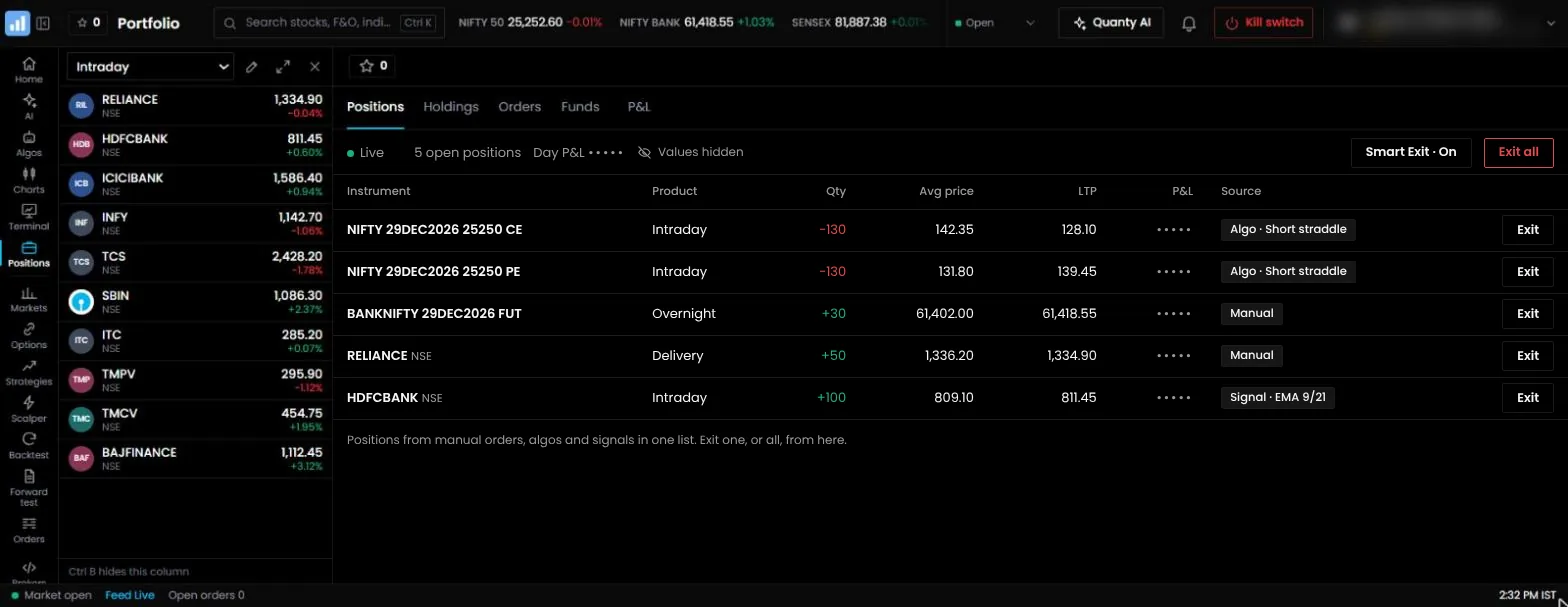
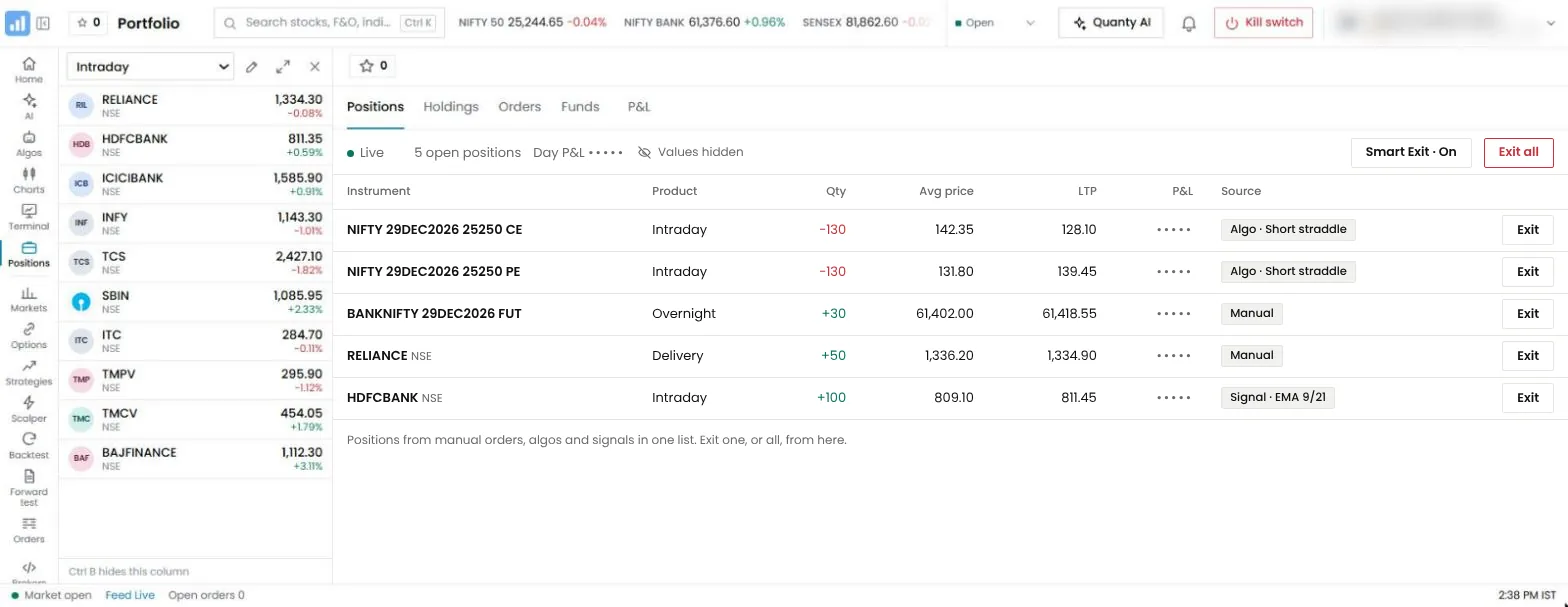
- Several legs. A short straddle or iron condor has two or four legs. Separate stops on each leg can leave you with one leg open after the other is stopped.
- Several strategies. Three strategies with sensible stops each can still lose more in a day than you meant to risk.
- Several brokers. A stop at one broker knows nothing of your positions at another.
- Stops you forget. A stop that was never placed, or was cancelled with an order, does not protect anything.
An account-level MTM stop loss sits above all of these. It watches the combined profit and loss of every open position and acts on the total.
How Smart Exit works
Smart Exit is QuantPower's MTM stop loss for the whole account. You arm it for the day, and it watches the combined MTM of your positions in the segments you pick.
- Pick the segments. For example, F&O only, or F&O and equity.
- Set the rules you want. Any one or more of these, all in rupees:
- Target: square off when the day's profit reaches this amount.
- Stop-loss: square off when the day's loss reaches this amount.
- Lock: once the profit reaches one amount, lock a smaller one. If the MTM falls back to the locked level, square off. You can also raise the lock as the profit grows: for every set step above the first level, the lock rises by a set amount, and it never rises by more than the profit grew.
- Trail: square off when the MTM falls by a set amount from its highest point of the day.
- Arm it. Arming needs your tap and your second factor, so it cannot be armed by mistake or by anyone else.
- When a rule fires, Smart Exit cancels the open orders and exit GTTs in its segments, stops the algos running there and squares off every position, each at the broker that holds it. A leg that is refused, for example because a broker does not answer, is reported and tried again.
- It lasts for the day. The rule ends at the close of continuous trading in its segments.
An example of the lock
Suppose you set the lock to switch on at a profit of ₹2,000, lock ₹1,000, and then raise the lock by ₹250 for every further ₹500 of profit.
| MTM reaches | Locked profit |
|---|---|
| ₹2,000 | ₹1,000 |
| ₹2,500 | ₹1,250 |
| ₹3,000 | ₹1,500 |
| ₹3,400 | ₹1,500 (the next step is at ₹3,500) |
If the MTM then falls back to ₹1,500, Smart Exit squares off everything. The locked level only ever rises.
The daily loss limit and the order cap
The daily loss limit is a different tool. It does not square anything off. Once today's loss reaches the limit, new orders are refused for the rest of the day, while any order that reduces or exits a position still goes. It stops a bad day from getting worse by stopping new risk.
- Tightening is immediate. A lower limit takes effect at once.
- Loosening waits. A higher limit, or removing it, takes effect from the next session. Today keeps the limit you started with. This is deliberate: it stops a limit from being raised in the middle of a losing day.
- Maximum orders a day is an optional cap. When the day's order count reaches it, new orders are refused.
- Algos respect it. An algo will not switch on to make a new entry today if the loss limit has already been hit.
Used together, Smart Exit closes the day at your stop, and the daily loss limit makes sure nothing new opens after it.
The kill switch and Exit all
- Kill switch. Pick one or more segments and press it. Trading in them stops until their next session, their open orders are cancelled at every connected broker, and the algos running in them stop. Your positions stay as they are. It cannot be undone the same day, and it needs your second factor.
- Exit all. Stops the running algos first, then squares off every position, or every position in one segment. It needs your tap and your second factor.
The kill switch is for "stop trading now". Exit all is for "close everything now". Smart Exit is for "close everything if this happens".
A worked day
An account of ₹5,00,000 arms Smart Exit with a stop-loss of ₹6,000, 1.2% of the account, on F&O. It holds three positions on Nifty with a lot of 65:
| Position | MTM at 11:00 am | MTM at 1:30 pm |
|---|---|---|
| Short straddle, 1 lot | −₹1,950 | −₹4,420 |
| Iron condor, 1 lot | −₹650 | −₹1,105 |
| Bought 25,000 call, 1 lot | +₹1,300 | −₹520 |
| Combined | −₹1,300 | −₹6,045 |
At 1:30 pm the combined loss passes ₹6,000, so Smart Exit cancels the open stop orders and sends exit orders for all seven open legs. Each position was still within its own stop, but together they reached the day's limit. The account also has a daily loss limit of ₹6,000, so no new position can be opened for the rest of the day. Exit fills and charges decide the final figure, which can differ from the limit by the slippage on the exits.
Notice what the per-trade stops would have done on their own. The straddle's stop was 30% above each leg's entry, and neither leg had reached it. The iron condor's stop was set on its combined premium, and it had not reached it either. The bought call was still above its stop. Every rule at the level of the trade said "hold". Only the rule at the level of the account said "enough for today".
A worked day with a locked profit
The same account arms Smart Exit with a stop-loss of ₹6,000 and a lock that switches on at ₹4,000 profit, locks ₹2,000, and rises by ₹500 for every ₹1,000 more.
- By 11:30 am the combined MTM is +₹4,300. The lock switches on at ₹2,000.
- By 12:45 pm the MTM is +₹6,200. The lock has risen twice, to ₹3,000.
- After 2:00 pm the market turns, and the MTM falls to +₹3,000. Smart Exit squares off every position.
The day ends with a profit of about ₹3,000 less slippage and charges, instead of whatever the afternoon would have left. A trail of ₹2,500 from the high would have done something similar, with exits at +₹3,700.
Stop loss in option buying
A stop loss in option buying is set on the premium, not on the index. A bought option loses value every day to time decay, so a stop that is too wide often turns into a slow loss.
- Set the stop as a share of the premium. With the 25,000 call at ₹280.50, a 25% stop is about ₹210, a loss of ₹4,582.50 a lot.
- Translate it into index points. With a delta of 0.54, the option loses about ₹70 for a fall of roughly 130 Nifty points, less if time passes or IV falls first.
- Add a time stop. If the move you bought for has not come by a set time, exit, because theta takes about ₹835 a lot a day from this option.
- Size from the stop. The position size calculator works out the lots from the stop and your risk per trade.
The option buying strategies guide shows stops and targets in full rule sets.
Intraday stop loss strategy
An intraday stop loss strategy decides where each stop goes before the trade, and how the day ends if trades keep failing.
| Method | How it works | Suits |
|---|---|---|
| Fixed points | A set distance, such as 40 Nifty points | Simple rule sets |
| Volatility-based | A multiple of ATR, wider on volatile days | Breakout and trend rules |
| Structure | Beyond the day's low or high, or the opening range | Price-action rules |
| Time stop | Exit by a set time if the target is not reached | Option buying, where decay costs |
| Account MTM stop | Square off everything at a set loss for the day | Every intraday trader |
A trailing stop loss moves with the price to lock in part of a gain, on one position or, with Smart Exit's trail, on the whole day.
MTM stops inside an algo
Each algo can carry its own MTM rules, separate from the account's:
- M2M target and stop in rupees, or as a per cent of the open legs' entry premium. When the algo's MTM reaches one, every leg exits.
- What a hit does. Exit all legs, exit only the losing or only the winning legs, square off and re-enter, or reverse. Re-entries are limited to 1 to 20 a day.
- Lock profit and trail. Once the algo's MTM reaches one amount, lock another, and raise the lock as the profit grows.
- Net delta or theta band. Exit when the algo's net delta or theta leaves the band you set.
- Stops on each leg, in points, per cent, underlying points or a Greek, with a trailing stop and a move to cost.
The algo's rules stop one strategy. Smart Exit and the daily loss limit stop the whole account. Use both: an algo that keeps re-entering after stops can lose more in a day than its rules suggest, and the account limit ends the day for every algo at once.
Setting a daily limit that fits
Many traders cap the day at 1% to 2% of the account, and at two or three times the risk of a single trade.
| Account | 1% daily limit | 2% daily limit |
|---|---|---|
| ₹2,00,000 | ₹2,000 | ₹4,000 |
| ₹5,00,000 | ₹5,000 | ₹10,000 |
| ₹10,00,000 | ₹10,000 | ₹20,000 |
Set the limit before the market opens. In QuantPower a looser limit only takes effect from the next session, so you cannot raise it in the middle of a losing day even if you want to. If a limit is hit often, the problem is usually the size of the positions, not the limit.
MTM limits across several brokers
Many active traders keep accounts with two brokers, often one for options and one for shares, or one as a backup. Each broker's own risk tools see only the positions it holds. A loss of ₹4,000 at one and ₹3,000 at the other looks like two small losses to each of them, but it is ₹7,000 to you.
QuantPower adds them up. When you connect more than one broker, Smart Exit, the daily loss limit and the kill switch work on the combined MTM of every connected broker. When Smart Exit fires, each position is closed at the broker that holds it, and nothing is ever sent to a broker that does not hold the position. If a broker does not answer, its legs are reported and tried again, and the risk checks treat "no answer" as unknown, never as "no positions". The kill switch stops the chosen segments at every connected broker at once.
The order sheet shows a broker picker when you have more than one connected, so a manual order always goes to the broker you chose. An algo sends every leg to the broker you picked when you switched it on.
Stop losses for positional traders
An MTM limit is built for the day. A trader who holds positions for weeks needs stops that survive overnight and across sessions.
- Use GTT orders for holdings and overnight positions. A GTT stop waits up to 365 days and sends the order through every check when the price reaches it. An OCO GTT holds a stop and a target together.
- Expect gaps. A stop on a position held overnight can be passed at the open. The GTT then fires at the first price after the gap, which may be well beyond the trigger. Size the position for the gap, not only for the stop.
- Watch expiry. A futures or options position held to expiry settles at the session close. Close or roll it before expiry if you do not want the settlement price.
- Review the stops weekly. A stop set a month ago may no longer sit where your rule would put it today. Drag the GTT line on the chart to the new level; the app shows the old and the new trigger before it changes.
- Pledged holdings. If you pledge shares for margin and use that margin for F&O, a sharp fall in the shares can cut your margin and your F&O limits at the same time. Count both when you size.
A checklist before the market opens
- Decide the day's loss limit in rupees, and set the daily loss limit to it.
- Arm Smart Exit on the segments you will trade, with a stop-loss at the same amount and, if you want, a target, a lock or a trail.
- Set a maximum number of orders if your algos re-enter often. It catches a strategy that misbehaves.
- Check every open position has a stop: an SL order for intraday trades, a GTT for positions held overnight.
- Sign in to your brokers. A broker session ends every day. An algo cannot enter, and a stop cannot be placed through QuantPower, at a broker that is signed out.
- Know where the kill switch is. If something goes wrong, stopping a segment is one press and your second factor away.
Ten minutes before the open is enough. It is far easier than deciding any of this after the first loss of the day.
Common mistakes
- Setting the stop after the trade. The best time to decide the exit is before you enter.
- Using SL-M for options. NSE does not accept it. Use an SL order with a gap between the trigger and the limit.
- Leaving no gap on an SL order. A limit equal to the trigger often stays unfilled when the price moves fast.
- One stop for a multi-leg position. A stop on one leg of a straddle leaves the other leg open. Use a combined stop.
- Counting each broker separately. If you trade through two brokers, your real loss is the total. QuantPower's account controls add them up.
- Removing the limit after a bad morning. That is the moment the limit was set for.
Where risk limits are going
Risk controls are moving from the trade to the account. Exchanges now monitor position limits during the day, brokers apply peak margin rules, and since 1 April 2026 every retail algo in India runs through a broker under exchange rules.5 Traders are following the same path: from a stop on each order, to a limit on each strategy, to a limit on the whole account across every broker and every algo. The next step is making these limits harder to switch off in the moment, which is why QuantPower applies a looser loss limit only from the next session and asks for your second factor before Smart Exit or the kill switch can be set.
Pricing
Smart Exit, the daily loss limit, the order cap, the kill switch and Exit all cost no tokens. Tokens (1 token = ₹1, GST extra) pay for automation and AI: a live algo costs 200 tokens per 28 days, a Forward-test algo 100, and a backtest 2, with the first 10 each week free. See pricing.
Related guides
- Order types: SL, SL-M, limit, market, iceberg and AMO orders on NSE
- MTM meaning: mark to market in plain terms
- Trailing stop loss: how a stop that moves with the price works
Start with 500 free tokens
Connect your broker, build a strategy and test it on paper before a single live order goes out.
Frequently asked questions
Does the MTM stop loss work on manual trades?
Yes. Smart Exit and the daily loss limit count the combined MTM of all your open positions in the segments you pick, whether you placed them by hand or an algo placed them, across every broker you have connected.
What happens when Smart Exit fires?
It cancels the open orders and exit GTTs in its segments, stops the algos running there and squares off every position, each at the broker that holds it.
Does the daily loss limit square off my positions?
No. It refuses new orders once the day's loss reaches it, while exits still go. To square off at a loss, arm Smart Exit with a stop-loss.
Can the final loss be more than the limit?
Yes, by the slippage on the exit orders and the charges. In a fast market the exits can fill a little worse than the prices at the moment the limit was reached.
Does the kill switch close my positions?
No. The kill switch stops trading in the segments you pick until their next session, cancels their open orders at every connected broker and stops the algos running there. Your positions stay as they are. To close them, use Exit all, or arm Smart Exit with a stop-loss before the day starts.
Can I raise my daily loss limit during the day?
A lower limit takes effect at once. A higher limit, or removing it, takes effect from the next session.
References
- U.S. Commodity Futures Trading Commission and Securities and Exchange Commission, "Findings Regarding the Market Events of May 6, 2010", 30 September 2010 (sec.gov)
- NSE: order types in the equity derivatives segment (nseindia.com)
- SEBI, study "Analysis of Profit and Loss of Individual Traders dealing in Equity F&O Segment", 23 September 2024 (sebi.gov.in)
- SEBI, circular "Measures to strengthen Equity Index Derivatives framework for increased investor protection and market stability", 1 October 2024 (sebi.gov.in)
- SEBI, circular on safer participation of retail investors in algorithmic trading, 4 February 2025, in force for every broker from 1 April 2026 (sebi.gov.in)
- QuantPower: Smart Exit, daily loss limit, kill switch and GTT rules, from the app's code, checked 12 November 2026